Are you looking for amazing VSCode extensions for VueJS for your upcoming Vuejs-based web app? Then there is a very useful and noteworthy collection of the best vuejs vscode extensions.
Table of contents
- What Is A VSCode Extension?
- What is Vue.js?
- Best VSCode Extensions For Vue JS:
- Vue Volar
- EsLint With Plugin Vuejs
- Prettier – Most Recommended VSCode Extensions for VueJS
- Materio Free Vuetify VueJS Admin Template
- GitLens
- VueJS CheatSheet : The Only CheatSheet You Will Ever Need for Vue, Vue Router & Pinia
- Vue 3 Snippets
- Auto Rename Tag
- NPM Intellisense
- Vue VSCode Snippets
- Comment-anchors
- Quokka.js
- JavaScipt Snippet – One of The Best VSCode Extensions for VueJS
- Conclusion:
What Is A VSCode Extension?
VS Code extensions are very essential in modern web development. They are a source code editor helpful in building modern web applications. It is a free and open-source editor. Furthermore, It also supports a huge number of extensions that can be used for web app development.
Besides, Visual Studio Code extensions let you add languages, debuggers, and tools to your installation in order to support your development workflow. Furthermore, their rich extensibility model allows extension authors to plug directly into the VS Code UI. Also, it allows contributing functionality through the same APIs used by VS Code.
So, to help you pick the right VS code extensions that will help add more value than the resources they draw from your system, we’ve made this list of the best trending vscode vuejs extensions available today. While some of these are well-known and commonly installed, others are highly recommended extensions by experienced developers who use Visual Studio Code.
Advantages of Using VSCode Extensions:
VS Code Extensions can be helpful with the following tasks:
- Scalability
- Formatting
- Enforcing best practices
- Automate many of the forgettable tasks in our dev process.
What is Vue.js?
Vue.js is one of the major JS frameworks used for front-end development. It is used by big companies such as Gitlab, Alibaba, Xiaomi, Adobe, Euronews, Nintendo, Grammarly, Codeship, Behance, and many more.
Besides, Vue is continuously growing in popularity and is rapidly being adopted by many developers, and Vue.js tools are popping up everywhere. Apart from this, VueJS has some advantages that make it awesome such as a shallow learning curve, clear functionality-driven structure, and excellent documentation. It is advisable to use the VueJS admin templates to speed up your workflow and deliver an awesome web app.
There are solid reasons for planning and developing Vue.js projects. Here are some of them:
- It combines features of React and Angular but makes customization and optimization possible
- Besides, it’s easily adaptable and lightweight
- Also, It’s perfect for app modification (by using routing, bundling, adding various components, etc.)
- In addition, it enables a modular approach to feature development
- Furthermore, it also uses virtual DOM to link data for declarative data rendering and making changes to HTML easier and faster
- It’s reactive
If you are a beginner then we recommend checking the Vue 3 Tutorial For Beginners. Tutorials help you sharpen your skills. Also, for project inspiration, you can refer to VueJS Examples for beginners.
Also, there are some VueJS UI component libraries that you can check before you start your project. These libraries are basically a set of essential components for VueJS.
Best VSCode Extensions For Vue JS:
One of the most amazing and unique features of Visual Studio Code is the tons of extensions offered by the marketplace. Mostly, these extensions were customized to meet your needs. Also, choosing the right VS Code Extensions for Visual Studio can make your life as a developer so much easier. You can also keep the Vue Plugins handy as those can be really helpful when it comes to improving your productivity.
Now, let’s start the collection of the Best VSCode Extensions For VueJS developers. In this collection, you’ll get to know about some of the best Vue js Visual Studio Code extensions. These VS Code extensions for vuejs developers are extremely useful and will boost your workflow.
Do use the VueJS static site generator to develop an awesome web app.
Vue Volar

Vue Volar is the official Visual Studio Code extension for Vue.js development, specifically optimized for Vue 3 and modern TypeScript-based workflows.
It replaces the older Vetur extension as the recommended tool for Vue developers, offering enhanced performance, deeper framework integration, and advanced language support.
Features
- Rich Language Support
- TypeScript Integration
- Single-File Component (SFC) Tooling
- Framework-Specific Enhancements, and many more…
EsLint With Plugin Vuejs

Well, ESLint statically analyzes your code to quickly find problems. Besides, it is built into most text editors and you can run ESLint as part of your continuous integration pipeline. Furthermore, ESLint fixes are syntax-aware so you won’t experience errors introduced by traditional find-and-replace algorithms.
Now, as we know, ESLint is one of the most popular linter tools that help keep your code consistent with best practices and readable across large codebases. Now, VueJS has its own ESLint Plugin to check the syntax of single-file components. Besides, It’s one of the best tools for writing maintainable and scalable code. ESLint can help you stay organized, and with increasing support for Vue3, you’ll be writing scalable Vue projects.
Besides, this vscode extension for VueJS allows you to:
- Finds syntax errors.
- To check
<template>and<script>of.vuefiles with ESLint, as well as Vue code in.jsfiles. - Also finds the wrong use of Vue.js Directives.
- Find the violation for the Vue.js Style Guide.
ESLint editor integrations are useful for checking your code in real-time
Prettier – Most Recommended VSCode Extensions for VueJS

This is one of the best VSCode Extensions For VueJS is an opinionated code formatter. It enforces a consistent style by parsing your code and re-printing it with its own rules that take the maximum line length into account, wrapping code when necessary.
Materio Free Vuetify VueJS Admin Template

Materio Free Vuetify VueJS Admin Template is one of the professional and versatile Vue templates designed for developers to build responsive and user-friendly web applications. It is built using VueJS and Vuetify, which are popular and robust frameworks in the web development industry.
With a clean and modern design, this Vuetify admin template offers a comprehensive set of UI components and features such as charts, tables, forms, and maps to help developers create beautiful and functional dashboards quickly and easily.
This Free vue template also includes several pre-built pages such as login, register, error pages, and more, making it a complete solution for building web applications. Moreover, it is highly customizable, allowing developers to make changes to the template to their specific project requirements
Features:
- 1 Simple Dashboard, 1 Chart Library
- Available in both TypeScript & JavaScript versions
- Single vertical menu
- Simple Light/Dark theme
- Basic Cards, pages, and tables
- Simple From Elements
- Single vertical menu
Also, available in Nuxt Admin Panel version

This Material Design Dashboard is one of the best resource for developing engaging web apps.
GitLens
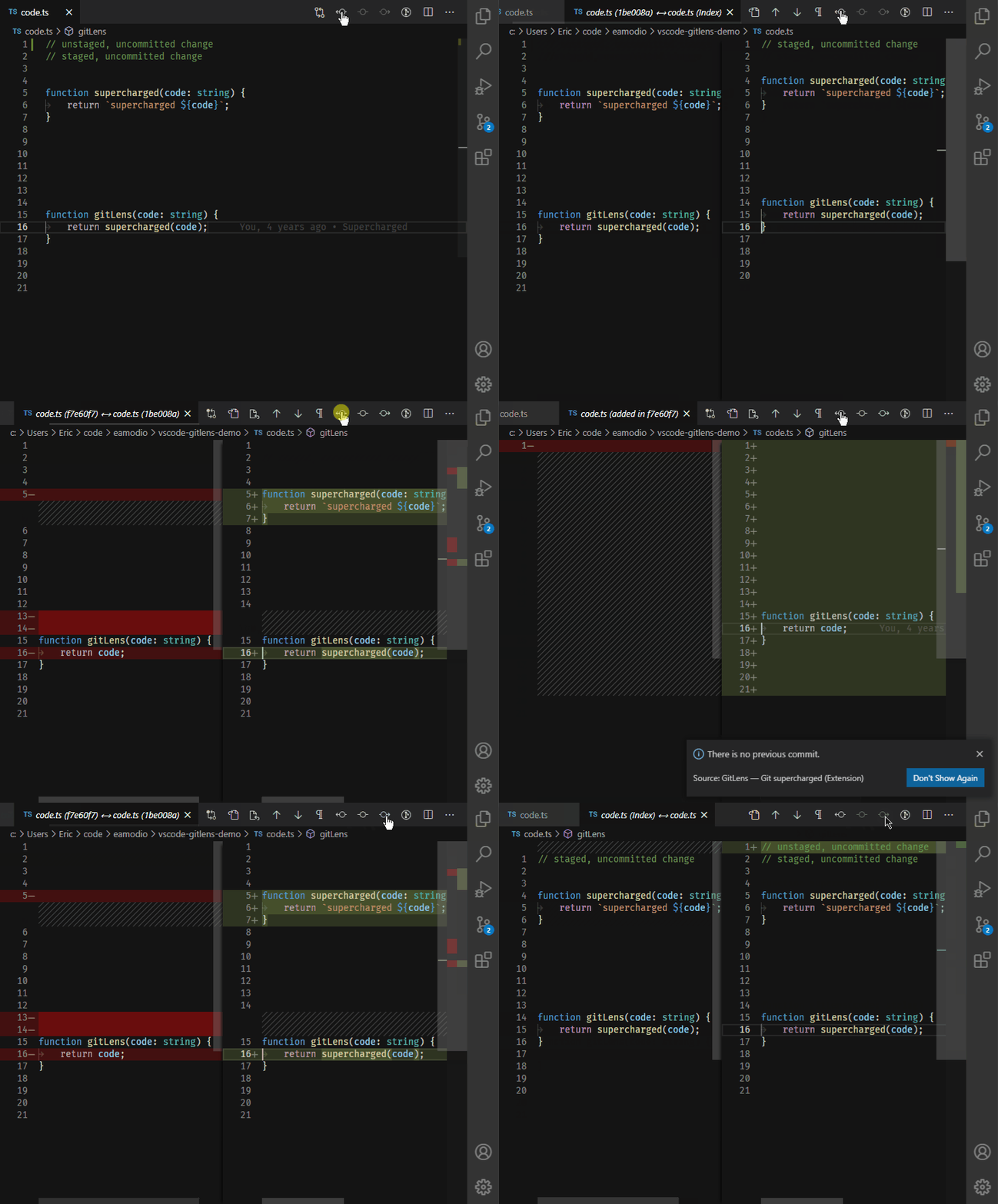
This is a very useful plugin and one of the most recommended VSCode Extensions For VueJS. It adds Git capabilities built into Visual Studio Code Visualize code authorship at a glance via Git blame annotations and code lens and many more things.
Besides, this vs code extension for vuejs simply helps you better understand code. In addition, it let you explore the history and evolution of a codebase effortlessly. Furthermore, GitLens is a powerful, feature-rich, and highly customizable vs code extension for vuejs to meet your needs.
In addition, GitLens supercharges the Git capabilities built into Visual Studio Code. Besides, it helps you to visualize code authorship at a glance via Git blame annotations and code lens. You can also seamlessly navigate and explore Git repositories, gain valuable insights via powerful comparison commands, and much more.
Features:
- Revision Navigation
- Current Line Blame
- Status Bar Blame
- Hovers
- Gutter Blame
- SideBar Views
- Terminal Links and many more
VueJS CheatSheet: The Only CheatSheet You Will Ever Need for Vue, Vue Router & Pinia

It is an interactive cheatsheet of Vue, Vue Router, and Pinia. 🎊 The only Vue CheatSheet you will ever need whether you are using Vue, Vue Router & Pinia in your Vue project or starting a new Vue project.
It is aimed at a large community of Vue users who find it difficult to search for Vue, Vue Router, and Pinia.
Features:
- Comprehensive Coverage of Vue, Vue router, Pinia
- Interactive search
- Concise code snippet
- Easily copy the code snippet and use it
- Open source
If you like it then do give it a star on GitHub.
Vue 3 Snippets
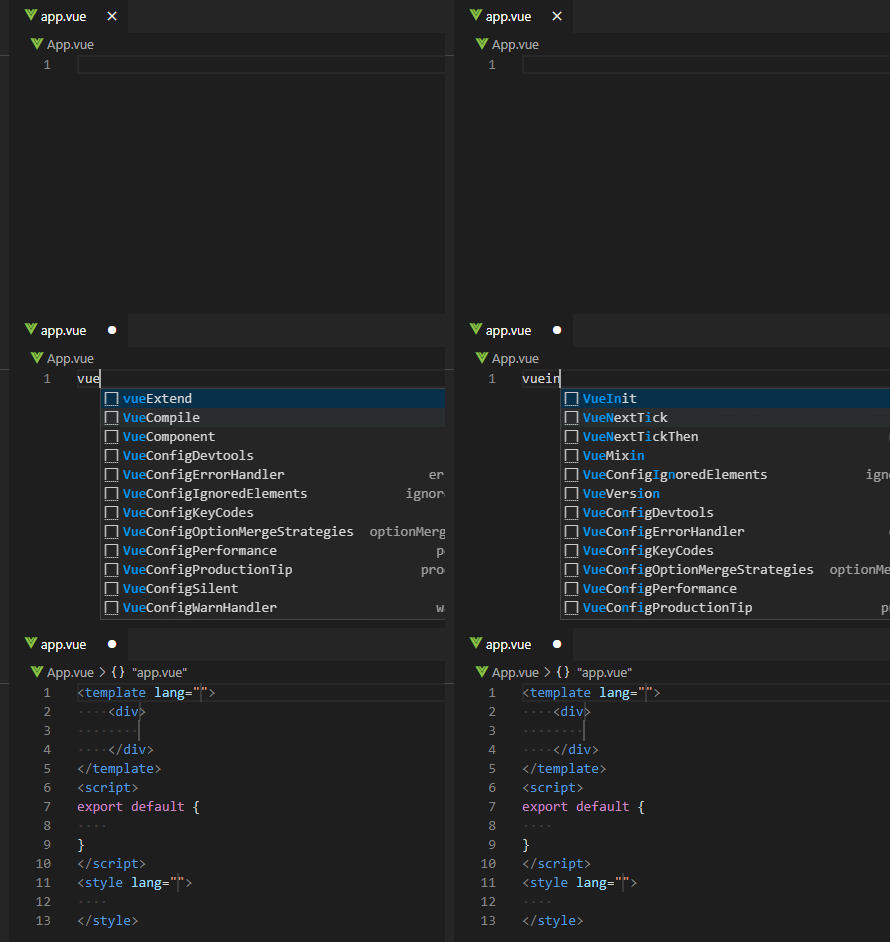
This extension adds Vue 2 Snippets and Vue 3 Snippets into Visual Studio Code.
Auto Rename Tag

Auto Rename Tag is a useful VSCode extension for VueJS developers that will help prevent errors in the template code. Whenever you go to change one tag of an HTML bracket pair (either the opening or closing tag), Auto Rename Tag will automatically rename the other one. This small optimization can also help prevent so many errors, especially when you’re dealing with large templates.
Features:
- When you rename one HTML/XML tag, automatically rename the paired HTML/XML tag
NPM Intellisense

Well, NPM Intellisense autocompletes your npm modules whenever you write import statements in your Javascript. Besides, this can save you time from remembering the exact name of an npm module.
Features:
- Import command
- Scan devDependencies,
- Show build-in (local) libs
- Lookup package.json recursive
It is advisable to use Vue Admin Dashboard as the code Quality and folder structure will help you to build professional-level web apps.
Vue VSCode Snippets
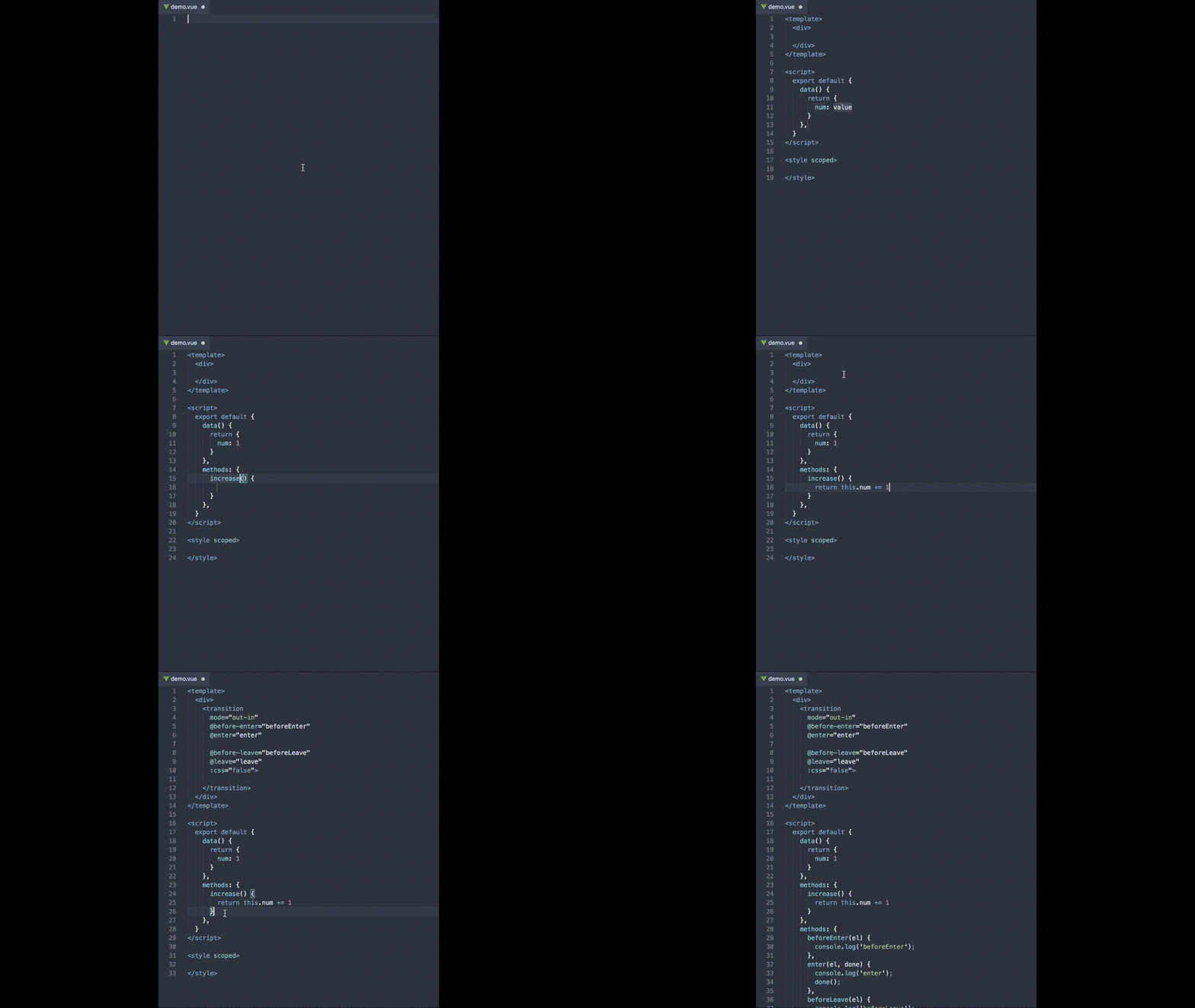
This VSCode vuejs extension by Sarah Drasner will save you so much time in development. Besides, Vue VSCode Snippets aims to develop ergonomics from the point of Vue of real-world use.
Comment-anchors

Place anchors within comments or strings to place bookmarks within the context of your code. You can also use anchors to track TODOs, write notes, create foldable sections, or build simple navigation making it easier to navigate your files.
Anchors can be also viewed for the current file, or throughout the entire workspace, using an easy-to-use sidebar. Besides, this VScode extension for VueJS provides many configuration options, allowing you to tailor this extension to your personal workflow, and increase productivity. Check below for a complete list of features.
Features:
- Place anchors in any file for any language
- Click an anchor in the anchor list to scroll it into view
- Customizable Anchor names, colors, highlight colors, and much more
- Quickly toggle tag visibility with commands
Quokka.js
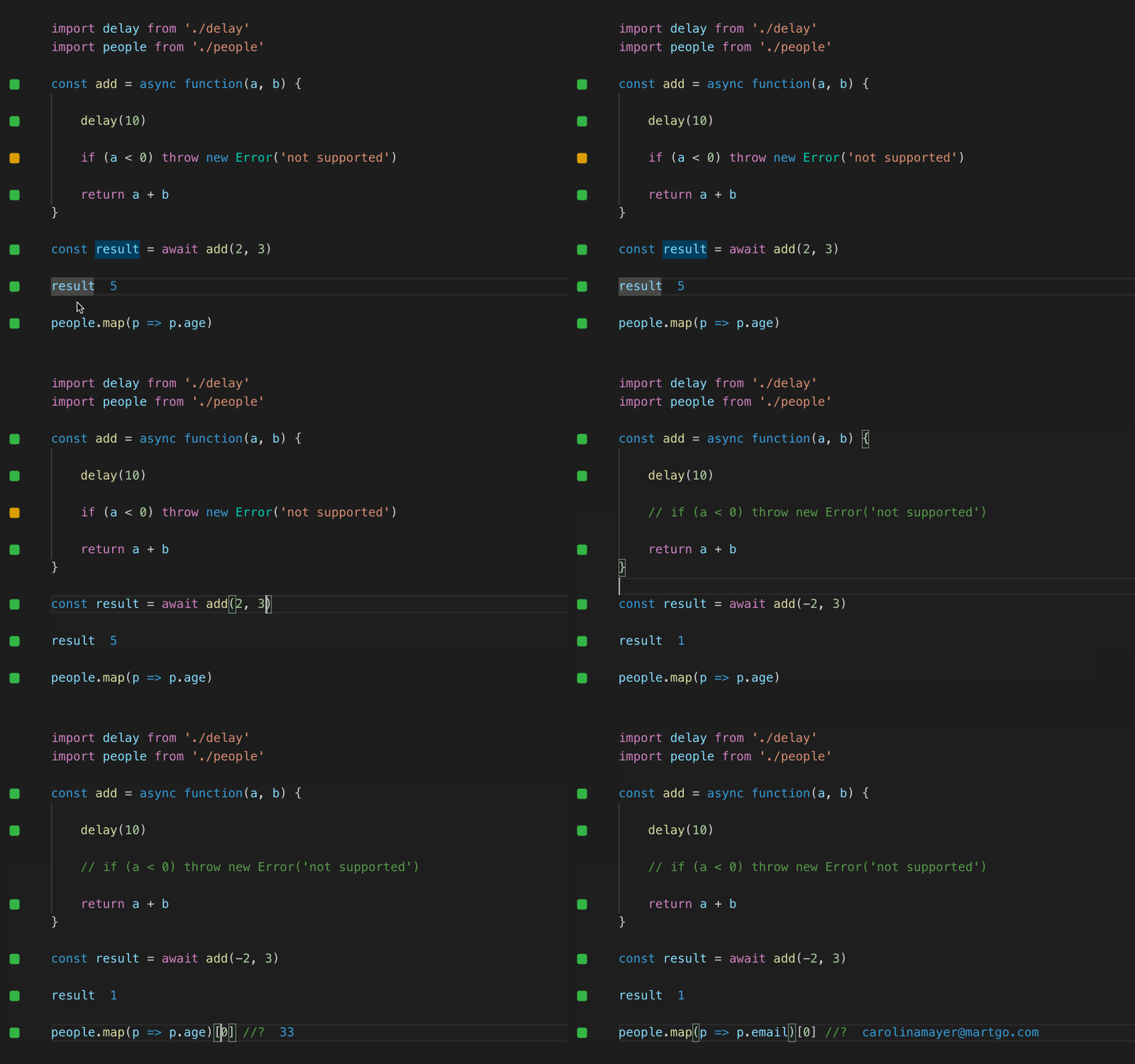
Quokka.js is another productivity tool and useful vs code extension for vuejs developers. It is helpful for rapid JavaScript / TypeScript prototyping. Also, Runtime values are updated and displayed in your IDE next to your code, as you type. Besides, this vscode extension for VueJS also makes prototyping, learning, and testing JavaScript / TypeScript blazingly fast. Furthermore, by default no config is necessary. You can simply open a new Quokka file and start experimenting.
JavaScipt Snippet – One of The Best VSCode Extensions for VueJS
This VS Code VueJS extension contains code snippets for JavaScript in ES6 syntax for Vs Code editor (supports both JavaScript and typescript.)
Conclusion:
So, here is the collection of The Best VSCode Extensions For VueJS Developers.
There is no doubt that Visual Studio Code is the best code editor out there at the moment. One of the best features is that Market Place offers tons of extensions to customize it exactly to your needs and help you in writing high-quality code.
Each extension offers unique features. Thus, first, list down your requirements and then select the appropriate one for your next vuejs project. Also, do check out some awesome free UI kits to give your web app an appealing look.
Apart from this, we also recommend you use, the Admin dashboard template as it has a collection of web pages created with HTML, CSS, and JavaScript or any JavaScript libraries used to construct the backend user interface of an online application. You can use them to build any kind of web app.
If you are working with React Projects then we recommend checking React VS Code extensions.
We hope this collection helps you with vscode vuejs extensions. Tell us your favourite one in the comment section below.