In this blog post, we’ll explore how to create and build a directory website that is both fast and SEO-friendly by leveraging Laravel, Scout-Extended, and Algolia.
With a combination of server-side rendering for improved SEO and Algolia’s InstantSearch for a seamless client-side experience, we’ll ensure your directory website offers lightning-fast search capabilities and an excellent user experience.
Follow these steps, complete with code examples, to create your own directory website optimized for search engines and user engagement.
Similarly like we did with our recently launched All Tailwind CSS – A platform where you will find all things related to Tailwind. Templates, Tools, plugins and more…
Table of contents
Step 1: Setting Up Laravel Scout and Scout-Extended
To build and create a directory website, first install Laravel Scout-Extended to enhance Scout with advanced features like custom indexing and Algolia integration.
Install Dependencies
First, install Scout and Scout-Extended via Composer:
composer require algolia/scout-extendedNext, publish the Scout configuration file:
artisan vendor:publish --provider="Laravel\Scout\ScoutServiceProvider"Configure Algolia
In your .env file, add your Algolia credentials:
SCOUT_DRIVER=algolia
ALGOLIA_APP_ID=your-app-id
ALGOLIA_SECRET=your-secret-key
Then, update config/scout.php to configure the Algolia driver:
'algolia' => [
    'id' => env('ALGOLIA_APP_ID', ''),
    'secret' => env('ALGOLIA_SECRET', ''),
],
Step 2: Preparing Your Model for Search
For creating a directory website, let’s assume you have a Product model that you want to make searchable. By adding the Searchable trait and configuring Algolia’s indexing, you can integrate it into your search functionality.
Update the Product Model
Add the Searchable trait to the Product model:
use Laravel\Scout\Searchable;
use Algolia\ScoutExtended\Searchable\Aggregator;

class Product extends Model
{
    use Searchable;

    public function toSearchableArray()
    {
        return [
            'id' => $this->id,
            'name' => $this->name,
            'description' => $this->description,
            'category' => $this->category,
        ];
    }
}
Step 3: Importing Data to Algolia
Now that your model is searchable, you can import your existing data into Algolia using the following command:
php artisan scout:import "App\Models\Product"Step 4: Server-Side Rendering for SEO
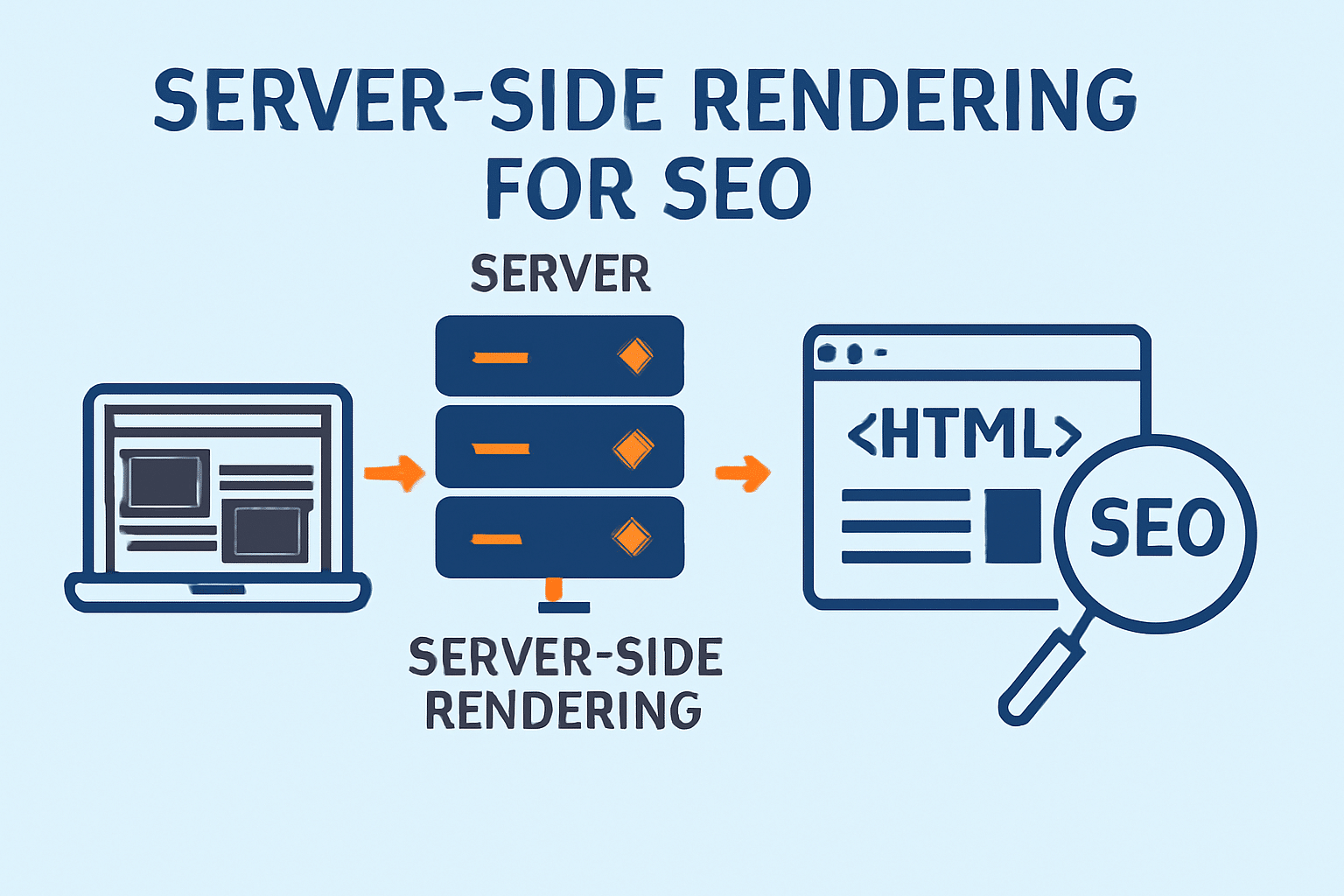
To ensure your directory website is SEO-friendly, it’s crucial to render the initial list of products on the server.
This is also a key consideration for agencies offering White Label SEO, as proper server-side rendering helps improve crawlability and long-term search performance. This ensures search engines can crawl and index your directory content properly.
We at ThemeSelection using Next js create SEO friendly next js templates. Do check it out.

Create a Controller
Use a Laravel controller to fetch products for the index view:
namespace App\Http\Controllers;

use App\Models\Product;

class ProductController extends Controller
{
    public function index()
    {
        $products = Product::paginate(20);
        return view('product.index', compact('products'));
    }
}
Create a Blade View
In resources/views/product/index.blade.php, render the products:
<!DOCTYPE html>
<html>
<head>
    <title>Product Directory</title>
    <meta name="description" content="Browse our product directory">
</head>
<body>
    <div id="products">
        @foreach ($products as $product)
            <div class="product">
                <h2>{{ $product->name }}</h2>
                <p>{{ $product->description }}</p>
            </div>
        @endforeach
        {{ $products->links() }}
    </div>

    <script src="{{ asset('js/search.js') }}"></script>
</body>
</html>
Step 5: Hydrating with Algolia InstantSearch
Once your server-rendered content is loaded, take advantage of Algolia InstantSearch to enable a smooth, dynamic client-side search experience for your directory website.
Set Up InstantSearch
Create public/js/search.js to initialize InstantSearch:
const searchClient = algoliasearch('your-app-id', 'your-search-key');

const search = instantsearch({
    indexName: 'products',
    searchClient,
});

search.addWidgets([
    instantsearch.widgets.searchBox({
        container: '#searchbox',
        placeholder: 'Search products...',
    }),
    instantsearch.widgets.hits({
        container: '#products',
        templates: {
            item: `
                <div class="product">
                    <h2>{{ name }}</h2>
                    <p>{{ description }}</p>
                </div>
            `,
        },
    }),
    instantsearch.widgets.pagination({
        container: '#pagination',
    }),
]);

search.start();<br>Update Blade View for InstantSearch
Modify resources/views/directory/index.blade.php to add placeholders for InstantSearch widgets:
<body>
    <div id="searchbox"></div>
    <div id="products">
        @foreach ($products as $product)
            <div class="product">
                <h2>{{ $product->name }}</h2>
                <p>{{ $product->description }}</p>
            </div>
        @endforeach
        {{ $products->links() }}
    </div>
    <div id="pagination"></div>

    <script src="{{ asset('js/search.js') }}"></script>
</body><br>Step 6: Optimizing Hydration for a Smooth UX
To ensure a seamless experience, you can implement progressive hydration, where InstantSearch initialization is delayed until the page content has fully loaded:
document.addEventListener('DOMContentLoaded', () => {
    const searchClient = algoliasearch('your-app-id', 'your-search-key');
    const search = instantsearch({
        indexName: 'products',
        searchClient,
    });

    search.addWidgets([
        // Same widgets as above
    ]);

    search.start();
});
Conclusion
By combining Laravel Scout-Extended with Algolia, you can efficiently build a directory website that’s both fast and SEO-friendly.
Server-side rendering ensures that search engines can crawl and index your content, while Algolia InstantSearch offers a dynamic and engaging search experience for users. With these steps, you’ll create a high-performance directory website that’s ready for both users and search engines.
PS: If you want to use other alternative instead of Algolia you can check out these Helpful JavaScript Fuzzy search library.
If you’d rather skip the custom Laravel build, a ready-made WordPress directory plugin like Directorist can get a searchable, SEO-friendly directory site live without writing this stack from scratch.