UI/UX AI generators simplify the design workflow by helping teams create interfaces faster and with more consistency. Additionally, they assist designers in ideation, wireframing, prototyping, and validating concepts, allowing them to focus more on creativity and strategy.
Furthermore, these tools use machine learning to analyze patterns, predict user behavior, and generate layouts that align with modern design standards. Moreover, they also reduce repetitive tasks and offer smart suggestions, helping designers deliver better results in less time.
Table of Contents
What Are UI UX AI Generators?
UI/UX AI generators are platforms that automate parts of the design process using artificial intelligence. They help create wireframes, design systems, content structures, and visual assets while maintaining user-centric design principles.
Benefits of Using UI/UX AI Tools:
- Faster design creation
- Improved accuracy in user behavior predictions
- Reduced manual effort
- Streamlined design-to-development workflow
- Enhanced creativity with AI-driven suggestions
Popular UI UX AI Generators
UI/UX AI generators reshape how teams bring digital products to life by turning ideas into usable designs within minutes. These tools help designers, developers, and businesses speed up their creative process without compromising quality.
They simplify the early stages of design and reduce repetitive tasks, allowing teams to focus on strategy and innovation.
Here are some of the most popular UI UX AI generators & design tools: useful for wireframes, prototypes, visual design, and even full UI generation:
Flowstep
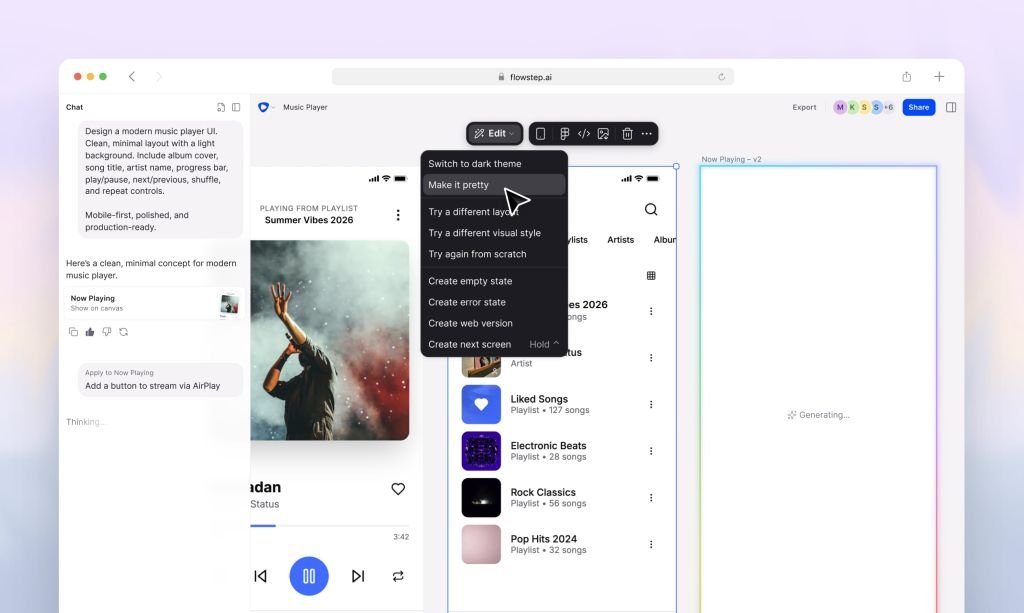
Flowstep is an AI design engineer. It generates UI from text prompts. Users can edit their UI design with AI or manually. The visual canvas is also production-ready code. Flowstep exports clean React, TypeScript, and Tailwind CSS. It also has an MCP to connect with agents and apps.
Key features
- Multiple screens generation from a single prompt
- AI or manual editing
- Copy designs into Figma with ⌘C + ⌘V (no plugins needed)
- UI generation using references (images, URLs, a Design.md file)
- Production-ready React, TypeScript, and Tailwind CSS code export
- MCP to connect with Cursor, Claude Code, and Windsurf
Use cases
- Developers, designers, and product teams who need UI that goes straight into their codebase without a handoff bottleneck
- Product managers or founders who need prototypes without a designer
What makes Flowstep stand out
- The visual canvas and the code are the same thing. What you see is already React, TypeScript, and Tailwind.
- Flowstep fits into agentic development pipelines via MCP.
- Multi-screen generation and references give more control over the output.
Prompt you can use with Flowstep
Generate a mobile onboarding flow for a habit tracking app: 1) Welcome screen with value prop, 2) Habit selection (sleep, exercise, reading, hydration), 3) Daily reminder setup, 4) Home screen with first habit and streak tracker. Soft, encouraging visual tone.
Figma AI UI Generator
Figma’s AI UI Generator adds AI-powered capabilities to the familiar Figma design environment, enabling designers to generate UI layouts, components, or prototypes using prompts, while retaining full flexibility to refine and collaborate inside Figma.
Key features
- Prompt-to-UI generation (full pages and individual components).
- Automated layout, spacing, and responsive adjustments.
- Editable, reusable components and style consistency.
- Previewing and iterating inside the Figma canvas.
- Integration with Figma collaboration, plugins, and design systems.
Use cases
- Teams already using Figma who want to speed up UI creation without leaving their workflow
- Designers needing quick mockups or UI prototypes within a familiar environment
- Rapid ideation or early design stage for websites/apps
What makes the Figma AI UI Generator best
- Its main advantage is integration; you don’t need to adopt a new tool, and you get AI-powered UI generation inside a powerful, widely-used design platform.
- For teams already on Figma, it streamlines the design loop and reduces friction.
Prompt you can use with Figma AI UI Generator
“Generate a landing page UI for a SaaS startup: hero with headline, subheadline, sign-up form; three benefit cards below; and a footer with links. Use clean modern style with blue/white theme.
Check out the Sneat Figma UI kit to enhance your project’s UI.
Check out the best Figma UI Kit – Sneat

Uizard

Uizard uses AI to accelerate UI/UX design by converting hand-drawn sketches or screenshots into editable, high-fidelity mockups.
Besides, it also allows designers or non-designers to spin up wireframes or full prototypes quickly. Additionally, Uizard supports drag-and-drop components, templates, and even converting text prompts into UI designs.
Key features
- Text-prompt-driven AutoDesigner to generate prototypes from idea descriptions
- Sketch-to-wireframe
- Component library
- Real-time collaboration
- Drag-and-drop UI components and templates for web, mobile, and tablet design
- Exportable mockups and editable designs for further refinement
Use cases
- Rapid prototyping
- Team ideation sessions
- Onboarding non-design stakeholders
- Low-fidelity to mid-fidelity conversions
What makes it the best UI/UX Generator?
- Uizard stands out for its flexibility — it accommodates everything from rough sketches to polished prototypes, and even supports text-based input.
- For teams or individuals without a strong design background, it offers a low barrier to entry and dramatically speeds up the ideation-to-prototype process, while still giving editable output.
Prompt to try:
“Design a mobile app home screen for a fitness tracker: top nav bar, greeting text, today’s steps count card, activity chart below, and bottom tab bar with icons for Home, Activity, Profile.”
shadcn/studio AI MCP UI builder
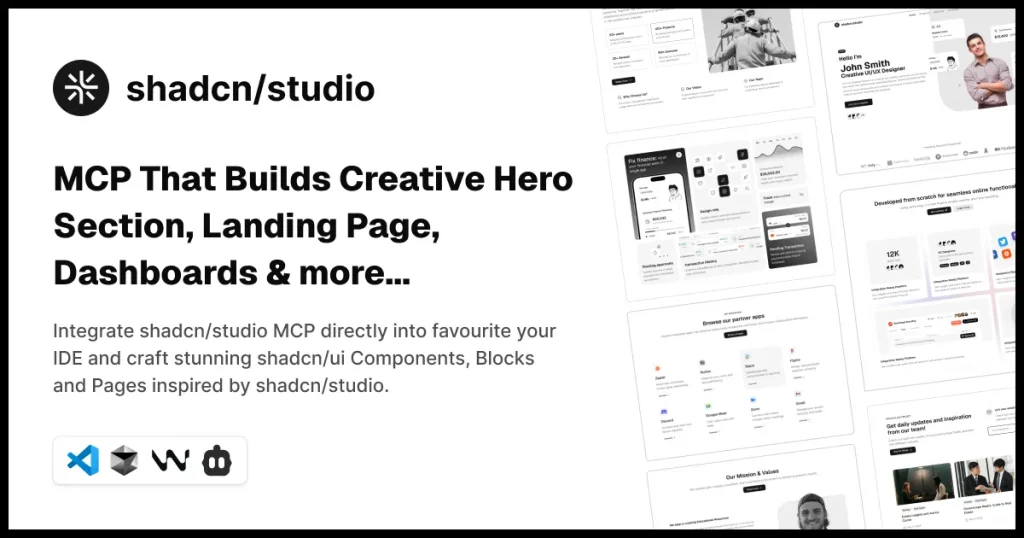
With shadcn/studio AI MCP builder, you can generate creative, unique, and awesome themes, dashboards, login pages, hero sections, UI Components, and much more.
Besides, shadcn/studio MCP AI uses Shadcn Components, Shadcn Blocks to generate engaging UI. Furthermore, it also integrates directly into your favorite IDE and crafts stunning shadcn/ui Components, Blocks, and Pages inspired by shadcn/studio.
Features:
- 10x Faster development
- Works seamlessly with React, Next.js, Vite, Laravel & more.
- Integrates well with VS Code, Cursor, Windsurf, and VS Code + Cline
Use Cases:
- Landing Pages
- UI Components
- Themes
- Dashboards
- Hero sections & much more
What makes it the best UI/UX Generator?
- shadcn/studio MCP blends curated, quality-tested shadcn/ui components with AI-driven generation and IDE-level tooling.
- Additionally, this combination delivers consistent, production-ready UI code fast — reducing repetitive work while preserving developer control and framework compatibility.
Prompts to Try with shadcn/studio AI MCP:
“Create professional SaaS landing pages that effortlessly showcase your MVP with clear calls to action and powerful visuals.”
Also, check the Tailwind AI MCP Builder
UX Pilot AI
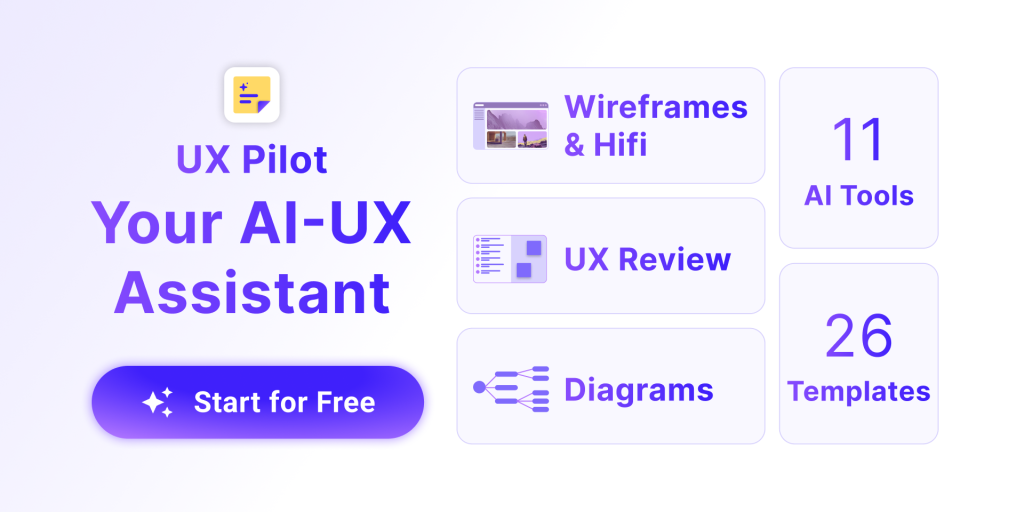
UX Pilot AI automates early-stage UX workflows: from raw research inputs (transcripts, notes) to usable wireframes and prototypes.
Additionally, it also helps design teams translate user research into flows, screens, and even usability reviews, bridging research and design phases.
Key Features:
- Converts research data/transcripts into personas, user journeys, and UI flows.
- Generates low-fidelity wireframes and high-fidelity designs from prompts or research output
- Offers design review tools: accessibility and usability checks (contrast, alt text, layout issues)
- Exports designs and handoff-ready files; integrates with design systems on paid plans
Use Cases:
- Turning user research into wireframes and flow diagrams
- Quick generation of prototypes based on user personas and journeys
- Designers working in small teams or solo, but needing UX research -> design output
- Validating early designs for usability and accessibility before full design
What makes UX Pilot the Best
- UX Pilot AI shines in bridging the gap between research and design: it helps teams go from messy user data to structured, prototype-ready UI, which can significantly shorten the UX lifecycle.
- Its built-in usability checks and research-to-wireframe capabilities make it ideal for user-centric design workflows.
Prompt you can use with UX Pilot AI:
“From this user journey (signup → onboarding → dashboard), create a 4-screen flow: signup screen, onboarding questionnaire screen, dashboard with user stats, settings page. Provide wireframe layout.”
Banani
Banani is an AI-driven UI design copilot that turns text prompts (or product requirement documents/references) into editable UI designs and prototypes. Furthermore, it also aims to speed up design ideation and produce on-brand interfaces quickly, without deep design expertise.
Key Features:
- Text-to-UI design generation based on prompts or PRDs
- Editable prototypes and UI designs ready for iteration
- Fast wireframe/mockup creation for web or app interfaces
Use Cases:
- Quickly generating UI designs for new products or features
- Product managers or founders who need visual mockups without a designer
- Rapid prototyping or ideation during early-stage product planning
- Creating UI variants to test visual ideas or flows
What Makes Banani the Best UI/UX Generator
- Banani offers a simple, prompt-driven approach to UI design, letting teams go from idea to visual design in minutes.
- Additionally, its ease of use and fast turnaround help product teams iterate rapidly without getting bogged down in initial design.
Prompt to try:
“Generate a modern web dashboard interface for a SaaS project management tool — include sidebar nav, top bar, project-list table view, and a card showing project summary stats.”
UX Magic

UXMagic presents itself as an AI UI/UX design generator, aiming to deliver UI designs automatically, likely from prompts. Moreover, it also positions itself among tools that streamline UI/UX design with AI-generated outputs.
Key Feature:
- Get text to UI Design
- Work with Figma Design System
- Edit UI With AI
- Responsive Figma Auto Layout & Code Ready
- Prompt to UI
- Code Generation
- Export to Figma
Use Cases:
- Rapid generation of UI/UX mockups for websites or apps
- Ideation and early design stages, when time/resources are limited
- Small teams or solo founders who need a quick UI starting point
What Makes It the Best UI UX AI Generator?
- Its free-to-start model and simplicity make UXMagic a good option for those who want to experiment with AI-generated UI without committing to heavy tooling or costs.
Prompt To Try with UX Magic
“Design a clean landing page for a travel blog — hero section with background image, main title, subheading, call-to-action button, and below that a 3-column grid of featured blog cards.”
Sketchflow.ai
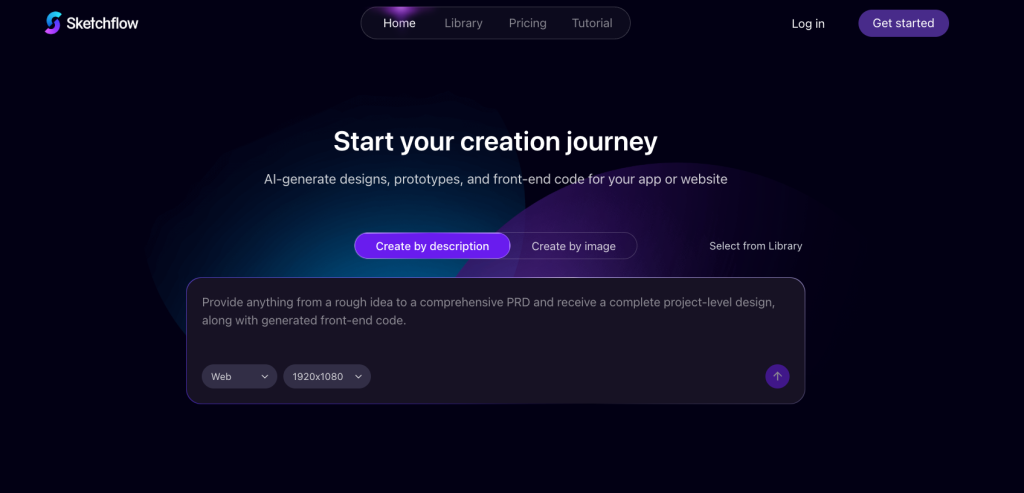
Sketchflow.ai is a specialized generative design platform that accelerates the “idea-to-prototype” pipeline by converting text descriptions and static screenshots into fully editable, interactive UI mockups.
Key Features:
- Text-to-UI
- Screenshot to Editable
- Auto Flow Logic
- Code & Asset Handoff
- Cloud-Hosted Simulation
Pricing:
- Free Plan: Includes limited credits (approx. 5 projects), standard generation speed, and basic sharing capabilities.
- Plus Plan ($25/month): 1,000 monthly credits, unlimited projects, HTML/Sketch export, and priority generation speed.
- Pro Plan ($60/month): 3,000 monthly credits, designed for power users and teams requiring extensive iteration and bulk generation.
What Makes It the Best UI UX AI Generator
- Sketchflow distinguishes itself by moving beyond “Generative Art” to “Generative Engineering.” While tools like Midjourney create beautiful but static (flattened) images, Sketchflow generates layered, structured designs.
- Additionally, it also understands UI logic, meaning it knows a button is a button, not just a colored rectangle. Its ability to generate an entire interconnected workflow (Logic + UI + Code) rather than just a single pretty image makes it a superior choice for building actual, functional products.
Prompt to Try:
“Design a mobile-first fintech dashboard for a ‘Gen Z savings app’. The style should be ‘Neo-Brutalism’ with high contrast colors (neon green and black) and bold typography.”
Galileo AI
Galileo is primarily an AI evaluation, observability, and reliability platform for generative AI systems. Additionally, it also helps teams test, monitor, and guardrail AI features and agents across the CI/CD lifecycle.
Furthermore, you can use Galileo to measure UI/UX–facing models (generation quality, regressions, hallucinations) and to run automated evaluation suites that catch UX-critical failures before release.
Key Features:
- Automated evaluations and adaptive metrics.
- Real-time monitoring and run-time protection (guardrails).
- Trace/session capture and root-cause analysis.
- CI/CD testing and experiment workflows.
- Integrations/export (Figma/Design workflows reported by third-party writeups).
Use Cases:
- Validate generative UI model outputs for consistency and accessibility.
- Run regression tests on UI text, labels, and layout prompts.
- Monitor production agent sessions for unexpected behavior.
- Enforce guardrails on model outputs that impact UX or product safety.
What makes it the Best UI/UX Generator (or companion)?
- Galileo isn’t a pure UI generator; its strength is making generative systems reliable.
- Additionally, for UX teams that embed or rely on AI to produce interfaces or copy, Galileo adds the missing safety, evaluation, and observability layer so design-facing models behave predictably in real products.
Prompt you can use with Galileo (evaluate a UI generator model):
“Design a modern SaaS analytics dashboard UI. Include a left sidebar with icons + labels, a top bar with search and user menu, KPI cards for revenue, active users, and retention, a line chart for weekly trends, and a table for recent activity. Use a clean, minimal visual style with balanced spacing and a neutral color palette.”
Visily
Visily is an AI-powered tool for rapid UI design and prototyping. Furthermore, it offers smart components, auto-prototyping, and collaborative features, aiming to help teams create polished prototypes and mockups swiftly, even without a heavy UX background.
Key features:
- Smart Components & Auto-Prototyping to speed up UI creation
- Collaborative workspace: shared asset libraries, commenting, cursor chat, team collaboration modes
- Ability to produce high-fidelity mockups and flow prototypes from concept to visual output
Pricing & plans:
- Offers a free option (for basic use)
- (Paid tiers available — for more features. Check Visily’s website for current plan details.
Use cases:
- Startup or small-team prototyping without a dedicated UX designer
- Creating and sharing mockups with the team/stakeholders for feedback
- Rapid UI ideation, revisions, and collaboration with non-design stakeholders
- Generating prototypes for user testing or early validation
What Makes Visly the Best UI UX AI Generator?
- Visily excels at blending simplicity, speed, and collaboration, enabling cross-functional teams (designers, PMs, stakeholders) to build, review, and iterate UI mockups together without a heavy design tool learning curve.
Prompt to try:
“Create a sign-up page UI for a SaaS app: top header with logo, form with name, email, password fields and submit button, and a sidebar with app benefits listed.”
Motiff

Motiff is an AI-first UI generator that transforms text, wireframes, screenshots, PRDs, and uploaded files into editable, production-ready interfaces.
Additionally, designers can pick preset design systems (Material, Ant, shadcn/ui), refine elements by natural-language edits, and export clean React/HTML or IDE-ready ZIPs. All aimed at fitting into development workflows.
Key features
- AI-driven UI generation for apps/web — quick interface creation
- Text-to-UI generation.
- Wireframe/screenshot/ PRD input support.
- Preset stylings (Minimalist, Material, Ant, shadcn/ui).
- Instant element refinement via natural-language edits.
- Export to Figma, HTML, React, and IDE-ready ZIPs.
- Real-time collaboration and consistency checks.
Use cases
- Rapid prototyping or proof-of-concept UI layouts
- Designers or developers needing quick UI mockups without deep design overhead
- Early-stage idea visualization before scaling or detailed design
What makes Motiff the best UI UX AI generator
- Motiff is attractive for those who need a fast, no-frills UI generator — an option to quickly spin up UI layouts without complex tools or processes. Additionally, it’s especially useful when time is constrained or when exploring multiple design directions rapidly.
Prompt you can use with Motiff
“Build a simple responsive web homepage: top nav with logo and nav links, hero with tagline and CTA, three feature cards, and footer with contact info.”
Framer AI

Framer AI brings generative UI directly into Framer’s design and no-code web builder, letting designers generate responsive pages, components, and starter content from prompts.
Furthermore, it also produces editable, production-grade layouts that you can animate, prototype, and publish, all inside Framer’s canvas and Pages workflow.
Key Features:
- Wireframer / text-to-page generation.
- AI Translation & content localization (auto-translate whole sites).
- AI-powered text humanize/copy refinement tools.
- Workshop: generate advanced interactive components without manual code.
- Templates & AI startup kit (large, ready sections and elements)
Use Cases:
- Rapidly generate a responsive landing page to iterate on design and copy.
- Create interactive components and micro-interactions without writing code.
- Localize site content into multiple languages and maintain brand tone.
- Prototype and publish no-code sites with CMS-backed pages for clients.
What Makes it Best UI UX AI Generators
- Framer AI sits inside a full-featured design → prototype → publish platform, so it not only generates visuals: it gives you editable layouts, interaction tools, and a direct path to launch. That end-to-end flow (idea → interactive component → live site + localization/A-B testing) is what sets it apart for designers who want production outcomes, not just mockups.
Prompt You Can Use With Framer AI
“Create a responsive SaaS landing page: hero with headline, 2 CTAs (primary + secondary), three feature cards with icons, pricing section with 3 tiers, testimonial carousel, and footer. Make it mobile-first, include basic animations for the hero CTA, and prepare the site for localization. Output as a Framer project ready to edit and publish.”
How UI UX AI Generators Impact Product Design
These tools empower designers by reducing repetitive work and enabling rapid experimentation. Teams achieve quicker turnarounds and iterate efficiently while maintaining quality. Besides, the balance of human creativity and machine precision helps deliver better user experiences.
Major impacts on product design:
- Faster ideation & prototyping
- Democratization of design
- Data-driven and personalized UX
- Role shift for designers
- Faster validation cycles
Conclusion
AI-driven UI/UX generators streamline how designers and teams move from ideas to working interfaces. These tools let users turn prompts, sketches, and research inputs into structured layouts or even production-ready code, helping projects progress faster without sacrificing visual quality. Additionally, they reduce repetitive work and give teams more time to refine strategy and experience.
Furthermore, each platform offers its own advantages, from mockup generation to code export or full site publishing. Together, they also create an ecosystem where designers, developers, and founders can rapidly experiment, validate concepts, and iterate with ease. Moreover, this shift empowers teams to deliver polished digital products in less time.