


In the past few years, OCR technology has taken the global market by storm. It automates data extraction from images, scanned documents, invoices, and handwritten documents. All of this happens in a few clicks.
For this task, you can easily find a huge variety of both free and paid OCR-powered tools available on the internet. The success and wide use of this OCR technology have made it a really profitable venture.
Now, tech companies are building and selling OCR solutions. If you are also planning to do the same, then it would be great if you first analyze the already existing tools to get inspiration. Doing so will help you build a competitive product.
In this blog post, we have reviewed some of the best OCR-based tools that you can consider for inspiration.
5 Best OCR Tools That You Can Look for to Get Inspiration
Here are three useful OCR-powered tools that you can consider to get inspiration for building an image-to-text converter.
On top of the list, we have Extracttextfromimage.com – it is a freemium tool that leverages advanced OCR algorithms to perform quick and accurate text extraction. It is capable of extracting text from a wide range of sources, including photos, screenshots, handwritten notes, scanned documents, and many more.
The good thing is that this tool comes with batch processing functionality. This means free users can submit up to 3 pictures at once for text extraction. Whereas users with a premium subscription can enjoy the limit of 50 images.
In order to demonstrate its working mechanism, we have attached a screenshot below; check it out.
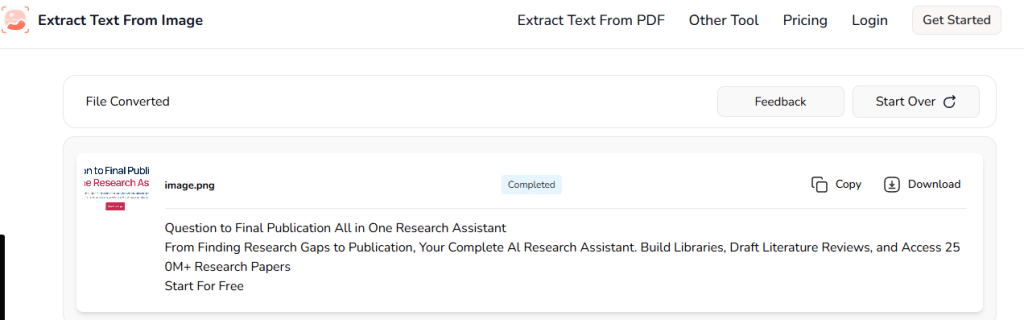
Moreover, the tool does not ask for sign-up/registration to perform the extraction process. Instead, users need to simply visit the site, upload the required image, and get results in no time.
What Inspiration Can You Get from this Tool?
The inspiration you can get from this tool is listed below.
- Text extraction from diverse resources
- Batch processing (3 images in one go)
- Has plans for both free and paid users
As the name suggests, Picturetotext.org is a specialized OCR tool that is designed to convert images into editable text. It is available in both free and paid versions, and supports picture formats (JPG, JPEG, PNG, etc.) as input.
Apart from this, it also offers multiple ways for image uploading, including copying/pasting the URL, dragging/dropping, or manual loading from local storage. The extracted text is provided in an editable format for easy editing, searching, and indexing.
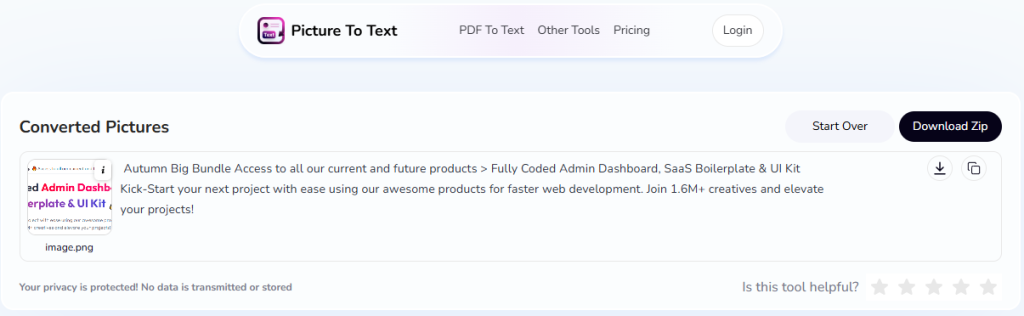
A standout feature of this tool is that it can process and extract text in multiple languages. The major ones include English, Spanish, Portuguese, and more. The multilingual support makes it an ideal option for the worldwide audience.
For maximum flexibility and versatility, a mobile application is also available on the Google Play Store.
What Inspiration Can You Get from this Tool?
Here are a few inspirations for developing an OCR tool after reviewing Picture to Text:
- Offers support for multiple international languages
- Accepts images in different formats
- Availability of the mobile application
3. Imgtotext.net:
Next, we have imgtotext.net. It is a simple but powerful OCR tool that converts images and PDFs into editable text within seconds. It supports almost all popular image formats (JPG, JPEG, PNG, GIF, BMP, and even PDF).
This platform offers flexible uploading options like drag-and-drop, URL, or device upload. Users can even crop images before extraction to capture only the needed text.
It also recognizes handwriting, math symbols, and multiple languages, and allows batch processing for faster results. The tool follows a freemium model: basic text extraction is free, while advanced features are available in the premium version.
What Inspiration Can You Get from this Tool?
– Provides multiple options for uploading images (URL, drag-and-drop, clipboard, device upload).
– Let’s users crop images before text extraction.
– Recognizes handwriting, math, and multiple languages.
– Supports batch processing for quick results.
– Works on a freemium model (free + paid plans).
4. OCR.bes
Last but not least, we have OCR.best – an efficient tool that accurately extracts editable text from images with a few clicks. The tool features a simple-to-understand interface so that people with no technical knowledge can easily navigate through it.
To ensure maximum speed and accuracy, it utilizes a combination of both OCR and AI technologies.
After uploading the image to this tool, users will get the option to “Crop.” By utilizing this feature, they can easily trim the photo to the necessary information before actually starting the extraction process.
Just like other tools, this one also provides output results in an editable format.
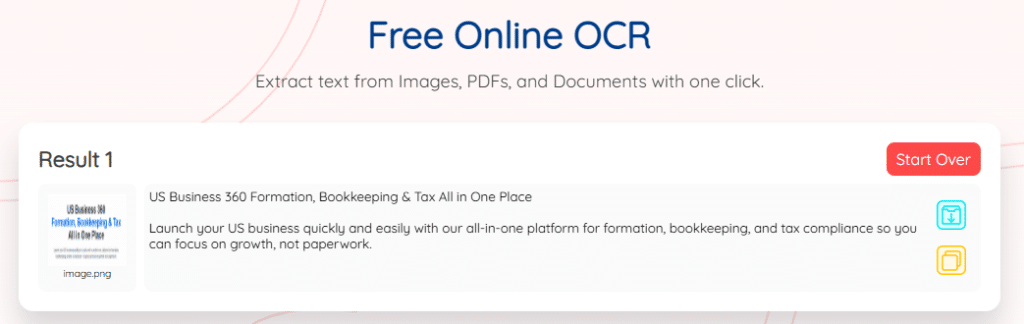
The amazing feature of this online OCR tool is that it also offers several other conversion tools. Some of the notable ones include: Image to Excel, PDF to Word, Image Translator, and many more.
What Inspiration Can You Get from this Tool?
Here are three inspirational ideas you can consider.
- Prioritize a user-intuitive design like this online OCR tool
- Offer the option to crop a photo after uploading
- Integrate other conversion tools as well, if possible
Jpgtoexcel.com is offering a reliable OCR-powered image to text tool which is designed to extract editable text from images quickly and accurately. The tool supports common image formats such as JPG, JPEG, and PNG, making it suitable for everyday text extraction needs from photos, screenshots, and scanned documents.
This image to text tool features a clean and user-friendly interface, allowing users to upload images directly from their device and convert them into text within seconds. The extracted output is provided in an editable format, enabling users to easily copy, modify, and reuse the text as needed.
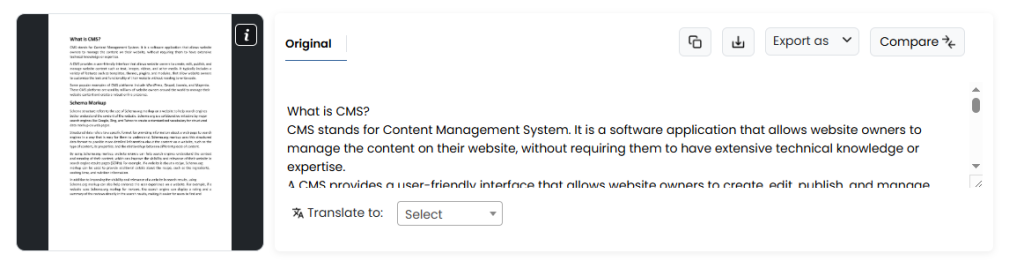
Another notable aspect of this tool is its focus on simplicity and speed. Users do not need to create an account or go through complex steps, just upload the image and start the extraction process. As part of the Jpgtoexcel.com toolkit, it aligns well with users who frequently work with document and image-based conversions.
What Inspiration Can You Get from this Tool?
Here are some key inspiration points you can take from Image to Text by Jpgtoexcel.com:
- Integrate OCR functionality as part of a broader conversion toolkit
- Focus on a simple and distraction-free user interface
- Support commonly used image formats for quick adoption
- Provide instant, editable text output without mandatory sign-up
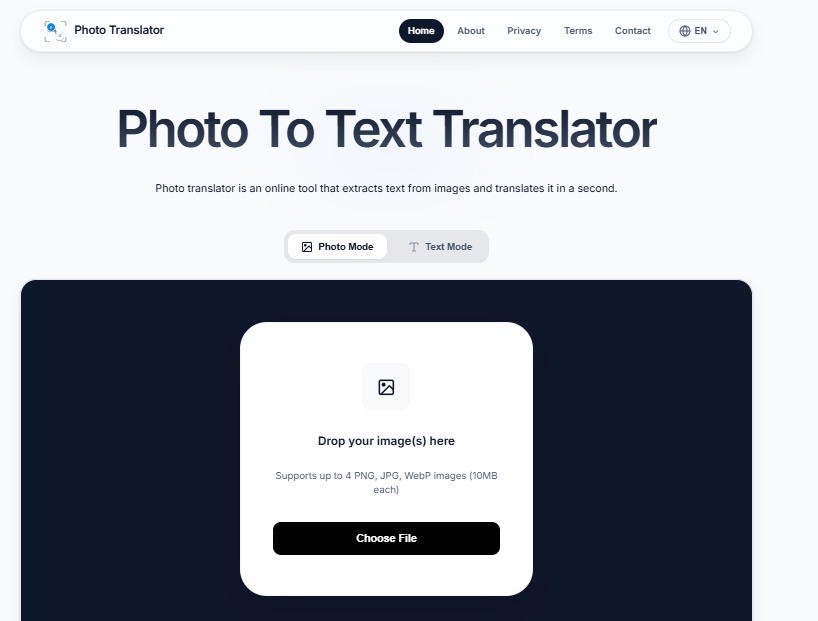
At this time we have one more tool which uses the ocr technology but on advance level. Photo Translator is the tool that can extract text from images and give the opportunity to translate this text in 80+ languages in milliseconds across the world. This tool has a very simple interface with no sign up and limit. The tool also offers to upload multiple images in one time without the restriction of image format. In actual photo to text translator tool helps the user to understand the syntax of images which are in foreign language.
What Inspiration Can You Get from this Tool?
Here are some key inspirations which you can get from Phototranslator.net.
- Users can edit,copy and download both extracted and translated text.
- To understand the importance of the user, we do not add the sign-up option with an email or account. Just milliseconds are required to use this tool to get any language result.
- The free option is a very attractive option for every user to get benefits from this tool.
- By the way, 80+ languages are supported in this, but English, Spanish, Japanese, French, and German are very common.
Wrapping Up
Developing an OCR tool is an excellent idea and can result in great profit, as this industry is continuously booming. However, you may be thinking what sort of features and capabilities your product should have…right? Well, you can review the already existing tools on the internet to get inspiration.
For your ease, in this blog post, we have reviewed three of the best tools in detail, along with some inspiration ideas you can get from them.

