


Choosing between JavaScript redirects and server-side HTTP redirects (301/302) can impact performance, browser history behaviour, and even SEO. In this guide, we’ll break down how JavaScript redirects work, when to use each method, and how to implement them safely.
Table of contents
What Are JavaScript Redirects?

JavaScript redirects are client-side navigation methods that automatically send a user from one URL (web page) to another using JavaScript.
Instead of relying on server-side redirects (like 301 or 302), JavaScript redirects are executed in the browser after the page loads or when a specific action happens (like a button click, form submission, or timeout).
Why Use JavaScript Redirects?
Developers commonly use them for:
- Redirecting after form submission
- Sending users to a login page if not authenticated
- Delayed redirects (e.g., “Redirecting in 5 seconds…”)
- A/B testing and conditional routing
- Redirecting based on device or browser
Core JavaScript Redirect Methods
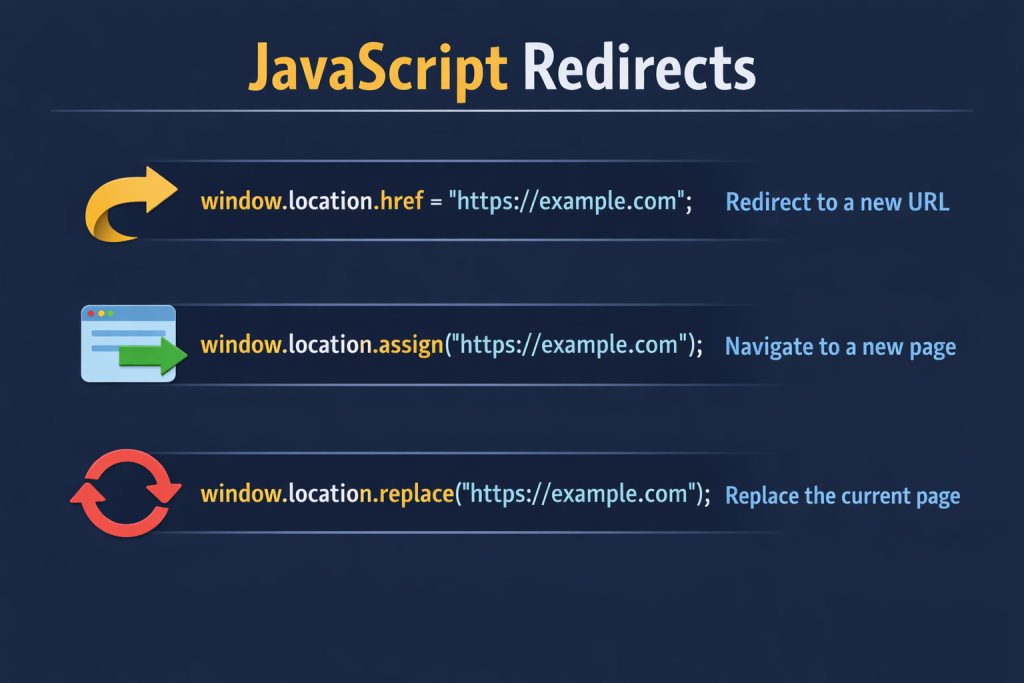
Most JavaScript redirects rely on the window.location object. The methods look similar, but they behave differently when it comes to browser history.
Understanding that difference is what separates quick fixes from production-ready logic.
window.location.href
window.location.href = "https://example.com";This is the most common way to redirect.
Assigning a new value to href tells the browser to navigate to that URL, similar to clicking a normal link.
Key Characteristic:
- Adds a new entry to the browser history
- Back button works
- Performs a full page reload
When To Use:
- Standard navigation
- After form submission
- Redirecting to external websites
- General-purpose redirects
Note: window.location is a property of the window object that contains information about the current URL. Setting href triggers a navigation event handled by the browser.
window.location.assign()
window.location.assign("https://example.com");assign() does essentially the same thing as setting.
Both:
- Add to browser history
- Allow back navigation
- Trigger a full reload
The only real difference is syntax:
href→ property assignmentassign()→ method invocation
Some developers prefer assign() ibecause it reads more explicitly in navigation logic. Functionally, though, they behave the same.
window.location.replace()
window.location.replace("https://example.com");This is where behaviour changes.
replace() redirects the user without creating a new history entry.
Key Characteristic:
- Does NOT add a new history entry
- The back button will not return to the previous page
- Replaces the current history state
Why This Matters?
- If you redirect after login using
href, users can hit back and return to the login page. That’s usually not ideal. - Using
replace()prevents that.
Best Use Cases:
- After login
- After logout
- Payment confirmation pages
- Redirecting away from restricted content
Quick Comparison Table
| Method | Adds History Entry | Back Button Works | Primary Use |
|---|---|---|---|
<strong>href</strong> | Yes | Yes | General navigation |
<strong>assign()</strong> | Yes | Yes | Explicit navigation |
<strong>replace()</strong> | No | No | Authentication flows |
Check out the best Bootstrap template:

Conditional & Delayed Javascript Redirects
Choosing the right method mainly comes down to this question. Should the user be able to go back?
Well, Redirects don’t always happen immediately. Sometimes they depend on logic or timing.
Conditional Redirect
if (!isAuthenticated) {
  window.location.replace("/login");
}
This runs only if a condition is met.
Common Use Case:
- Protecting private routes
- Role-based access
- Subscription checks
- Using
replace()Here avoids users from navigating back to protected pages.
Important: Always enforce access control on the server as well. Client-side checks improve UX but are not security mechanisms.
Delayed JavaScript Redirects
setTimeout(() => {
  window.location.href = "/thank-you";
}, 3000);
This JavaScript redirects after a defined delay.
Common Use Cases:
- Thank-you pages
- Payment confirmations
- Showing a short success message before navigating
Keep delays short. If users don’t understand why they’re waiting, it becomes frustrating quickly.
Example:
JavaScript Redirects in Modern Apps
In traditional multi-page applications, window.location methods trigger a full page reload. The browser requests a new document from the server and replaces the current one.
Single Page Applications (SPAs) work differently. In an SPA, navigation updates the URL and swaps content dynamically, without reloading the page.
Frameworks like React, Vue.js, and Angular handle this using client-side routers.
Key Difference:
| Full Page Redirect | SPA Navigation |
|---|---|
| Updates the view without reload | Updates the view without reloading |
| Server-driven | Client-side routing |
| Slower transition | Faster, smoother UX |
So if you’re working inside an SPA, it’s usually better to use the framework’s router instead of window.location for internal routes.
Security & Best Practices
JavaScript Redirects seem simple, but they can introduce real issues if handled carelessly.
Avoid Open Redirects
- Never redirect using unchecked user input:
window.location.href = userProvidedUrl;Always validate allowed URLs.
Validate Dynamic URLs
If a redirect comes from query parameters or API responses, sanitise it before navigating.
Prevent Redirect Loops
- Poor logic can cause continuous redirects (especially in auth flows). Test edge cases carefully.
Use replace() for Authentication Flows
- After login or logout, prefer
replace()to prevent users from returning to sensitive pages.
Use SPA Router for Internal Routes
- If you’re in a React, Vue.js, or Angular app, use the framework’s router for internal navigation. It avoids unnecessary reloads and keeps the state intact.
Conclusion:
JavaScript redirects are simple to write, but the method you choose matters.
hrefandassign()keep history intact.replace()removes the current page from history.- Conditional and delayed redirects should be used thoughtfully.
- Always validate dynamic redirect targets.
At the end of the day, redirects aren’t just about moving users from one page to another; they shape how your application feels and behaves.


