


Sidebars are an essential part of any modern web application or website. They offer users easy navigation and access to essential information without cluttering the main content. With the growing popularity of UI frameworks, Shadcn is quickly gaining recognition as a top choice for building beautiful and accessible web interfaces. In this blog, we will explore over 10 Shadcn sidebar examples, each with its unique features and use cases.
Whether you’re building a simple blog or a complex dashboard, these sidebar examples can help you enhance your project’s UI and improve usability.
Table of contents
What is the Shadcn sidebar?
The Shadcn Sidebar is a component from the Shadcn library designed to help developers implement side navigation in web applications quickly and efficiently. It integrates seamlessly with TailwindCSS, providing a set of pre-designed, responsive sidebar elements that can be customized to fit any brand’s identity.
These sidebars are fully responsive, meaning they adapt to different screen sizes, ensuring an optimal user experience across devices. The Shadcn Sidebar can be used for various purposes, such as displaying menu items, providing shortcuts, or navigating between pages and sections.
Why Use Shadcn Sidebars?
The sidebar is a popular choice for developers and UI designers building modern web applications due to its flexibility and ease of use. Here’s why it stands out:
- Simple & Customizable: Built with TailwindCSS for easy styling and full control over appearance.
- Responsiveness: Designed mobile-first, ensuring seamless adaptation across all device sizes.
- Quick Integration: Works with React, Vue, and other frameworks with minimal setup.
- Pre-Designed Components: Ready-to-use UI elements speed up development.
- Cross-Framework Compatible: Adaptable for use with any front-end framework.
ShadCN Sidebars offer simplicity, flexibility, and responsiveness, making them a perfect choice for developers seeking efficient and customizable navigation for any web project.
10+ Shadcn Sidebar Examples
Let’s take a look at innovative Shadcn sidebar examples that can elevate your web design with sleek, functional, and customizable navigation solutions.
Shadcn Simple Sidebar Example

Source: Simple Sidebar
A simple sidebar is the most common form, often used to house navigation links or actions. It provides a straightforward, no-frills approach to sidebar design, making it perfect for content-heavy sites or applications where clarity is key.
Features:
- Minimalistic design
- Clean navigation layout
- No distractions
Use Case:
- If your website or app has simple navigation and doesn’t require heavy interactions, a basic sidebar could be all you need.
Shadcn Collapsible Sidebar Example

Source: Collapsible Sidebar
Collapsible sidebars allow users to expand or collapse the sidebar for a cleaner look, providing more room for the main content. This type of sidebar is great for responsive designs or mobile views, offering users control over the UI.
Features:
- Expands or contracts with a smooth animation
- Saves space when collapsed
- Toggle button for user control
Use Case:
- If your sidebar contains many links or options that users may not always need, collapsibility gives them the option to hide it when not in use.
Shadcn Sidebar with Navigation Example
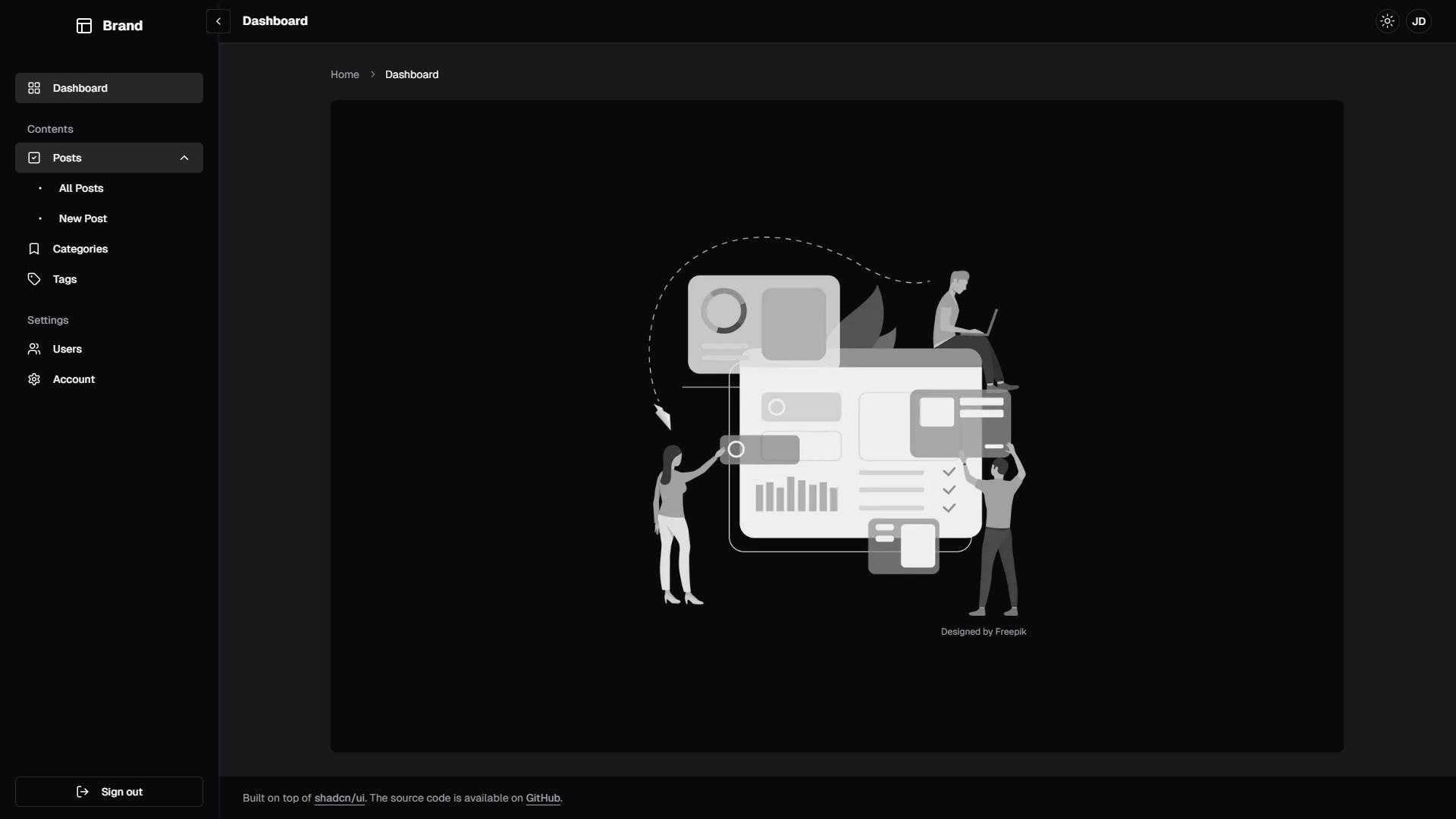
Source: Navigational sidebar by salimi
A sidebar with navigation includes vertical menus, icons, or even multi-level submenus. This is ideal for applications with extensive content or multiple sections. Navigation can also be dynamic, highlighting the active section for clarity.
Features:
- Vertical navigation structure
- Icons and labels for easy identification
- Active state indicators
Use Case:
- Perfect for large web apps, dashboards, or content-heavy sites where easy navigation through multiple sections is essential.
Skip writing code from scratch, use our Shadcn theme generator, and add different ones directly to your project.

Shadcn Studio is an open-source platform extending shadcn/ui, offering customizable components, blocks, and templates for fast UI development with a powerful theme generator.
Key Features:
- Customizable Components: Copy-paste shadcn-based components and blocks for quick UI building.
- Theme Generator: Real-time editor for Tailwind CSS v4, supporting OKLCH, HSL, RGB, HEX.
- Animated Variants: Framer Motion-powered components for smooth animations.
- Open-Source: MIT-licensed, community-driven, fully modifiable code.
- Figma Integration (WIP): Upcoming UI kit and plugin for design-to-code workflows.
Shadcn Sidebar with Animations

Source: Animated Sidebar
Animations in sidebars add interactivity, making the sidebar more engaging and dynamic. From sliding effects to smooth transitions, animations create a polished and modern look.
Features:
- Smooth opening and closing animations
- Animated icons and menu items
- Interactive hover effects
Use Case:
- If you want to enhance the user experience with smooth transitions and interactivity, animations bring life to your sidebar.
Shadcn Mini Sidebar

Source: Mini Sidebar by Consumable AI
Mini sidebars are compact versions of traditional sidebars, often used for quick access to key actions or minimal navigation links. These sidebars typically take up less space and can expand or show more content when hovered over.
Features:
- Compact design
- Expands on hover for more options
- Ideal for quick actions or secondary navigation
Use Case:
- Mini sidebars are great for mobile-first applications or websites where you want to conserve space without sacrificing functionality.
Shadcn Controlled Sidebar
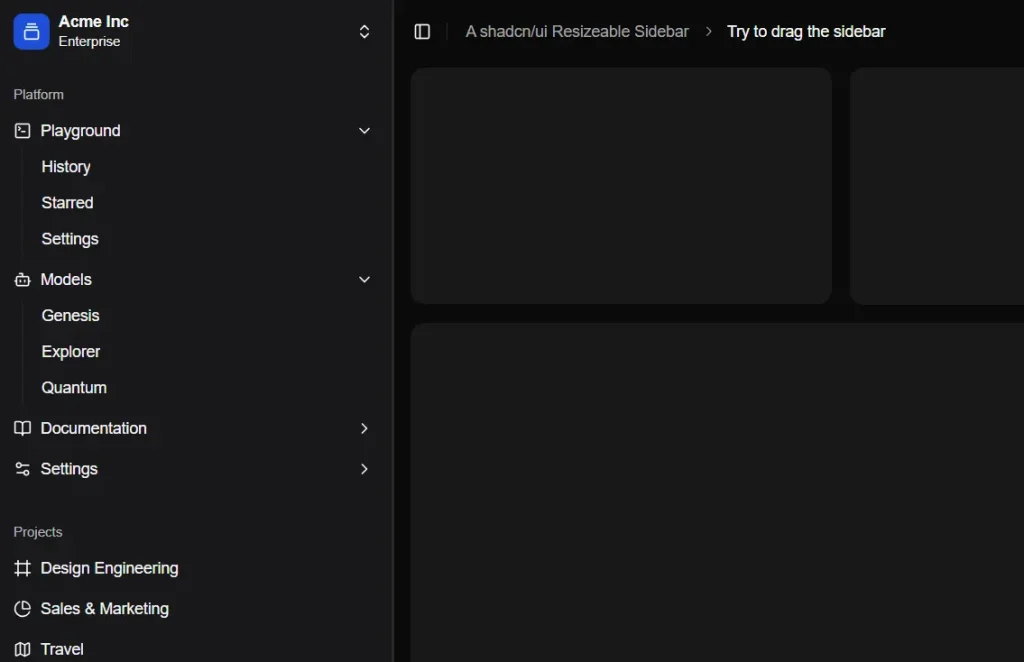
Source: Controlled sidebar
A controlled sidebar allows developers to manage when and how the sidebar appears through programming, giving full control over its visibility and behavior. This is useful when a sidebar is context-sensitive or needs to be triggered by specific user actions.
Features:
- Programmatically controlled visibility
- Can be triggered by events, like clicks or page loads
- Customizable behavior
Use Case:
- When you need a sidebar that is conditionally visible based on user interactions, such as displaying additional options or tools when a user clicks a button.
Shadcn Sidebar with Submenus
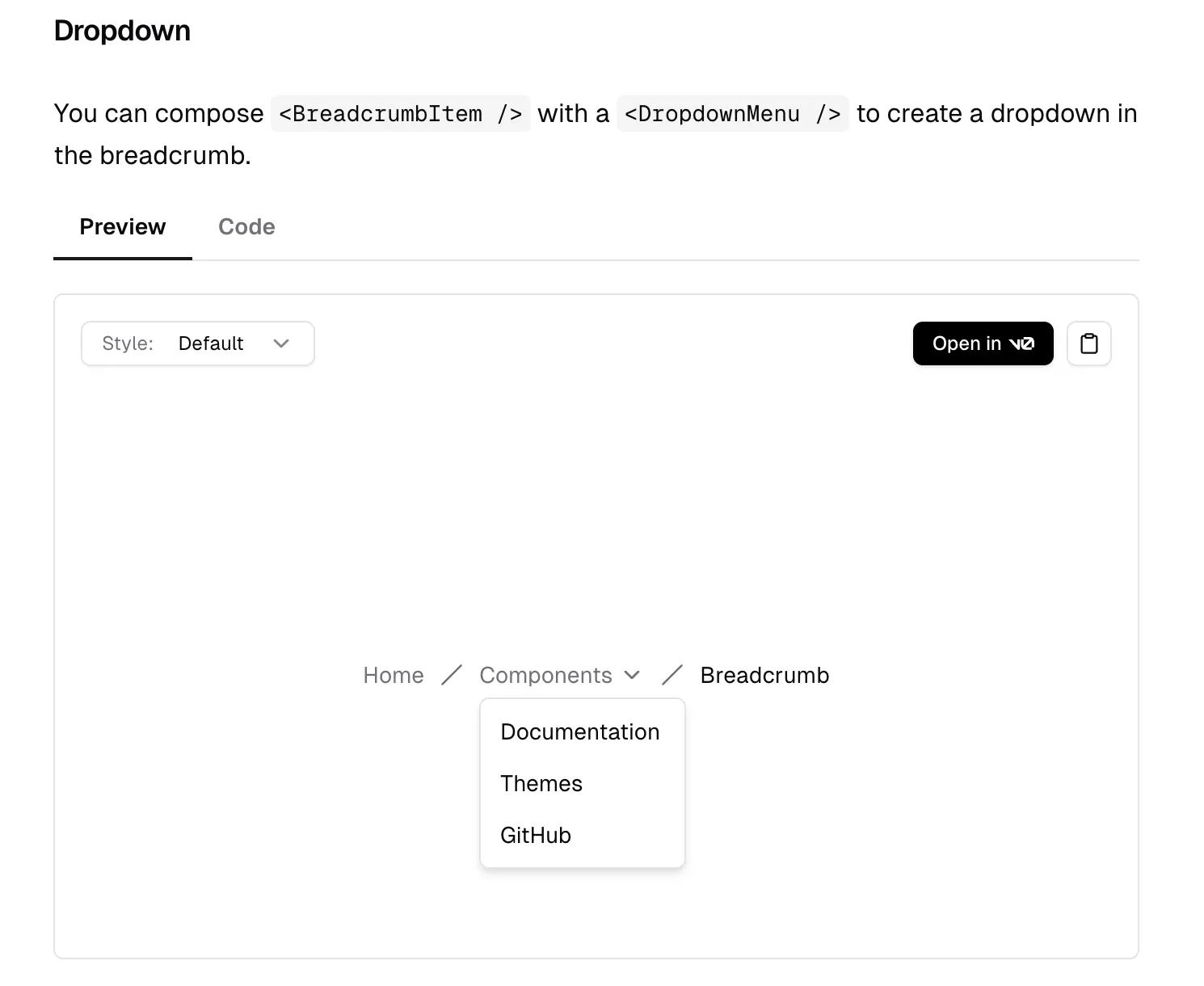
Source: Submenu Sidebar
Sidebars with submenus allow users to explore deeper levels of navigation without cluttering the interface. Submenus can be toggled open, offering an intuitive way to navigate multi-level structures like categories and sections.
Features:
- Nested navigation items
- Toggleable submenus for better organization
- Clear hierarchy with expandable sections
Use Case:
- If your application or website has complex navigation with multiple levels of content, a sidebar with submenus can help keep everything organized and accessible.
Shadcn Responsive Sidebar

Source: Responsive Sidebar
Responsive sidebars adapt their layout depending on the user’s device. They automatically resize, collapse, or change their structure based on screen size to ensure usability across desktop, tablet, and mobile views.
Features:
- Adapts the layout based on screen size
- Collapsible on smaller screens
- Touch-friendly for mobile and tablet devices
Use Case:
- If you’re building a website or app that needs to work seamlessly across devices, a responsive sidebar ensures a consistent experience.
Shadcn Sidebar with Sticky Header

Source: Sticky Header by Horizon UI
A sticky header sidebar remains fixed at the top of the page as the user scrolls through content. This is useful for keeping important navigation or branding elements visible at all times.
Features:
- Fixed header at the top
- Keeps navigation links or branding accessible
- Doesn’t disappear as the user scrolls
Use Case:
- Ideal for websites or applications where the user needs quick access to top navigation or important links at all times.
Shadcn Sidebar Footer

Source: Sidebar Footer by Shadcn
Adding a footer to your sidebar is a great way to provide extra information or call-to-action buttons without overcrowding the main content area. Sidebar footers often contain copyright notices, additional links, or social media icons.
Features:
- Footer for additional links or contact info
- Optimized for mobile responsiveness
- Can house compact content like legal disclaimers or links to policies
Use Case:
- When you need to provide essential information at the bottom of your sidebar, but don’t want to interrupt the main navigation.
Each of these Shadcn Sidebar examples brings unique functionality to the table, offering a range of options from simple navigation to dynamic, interactive layouts. Whether you’re looking to streamline content, enhance user engagement, or adapt to different screen sizes, Shadcn sidebars provide customizable and user-friendly solutions to elevate your web design. By choosing the right sidebar for your project, you can ensure a seamless, intuitive experience for your users.
Conclusion
Shadcn offers a diverse set of sidebar solutions to fit almost any design or functionality requirement. From simple navigation to complex, interactive sidebars, there’s an option for every type of web app or site. By carefully choosing the right sidebar for your project, you can enhance the user experience, streamline navigation, and improve the overall design.
Which Shadcn sidebar design fits your project best? Whether you’re building a mobile app, a dashboard, or a content-heavy site, Shadcn has you covered!

