


Are you a Node.js Developer looking for some best NodeJS IDEs to start programming your new application quickly and easily? Then, you’re going to discover some best Node.js IDE in this post that the developers mostly use.
Table of contents
What Is NodeJS?
Node.js is an open-source, cross-platform runtime environment that allows you to run JavaScript code outside of a web browser. It uses the V8 JavaScript engine (from Google Chrome) to execute JavaScript on the server-side, enabling developers to build scalable, high-performance applications, such as web servers, APIs, and real-time apps.
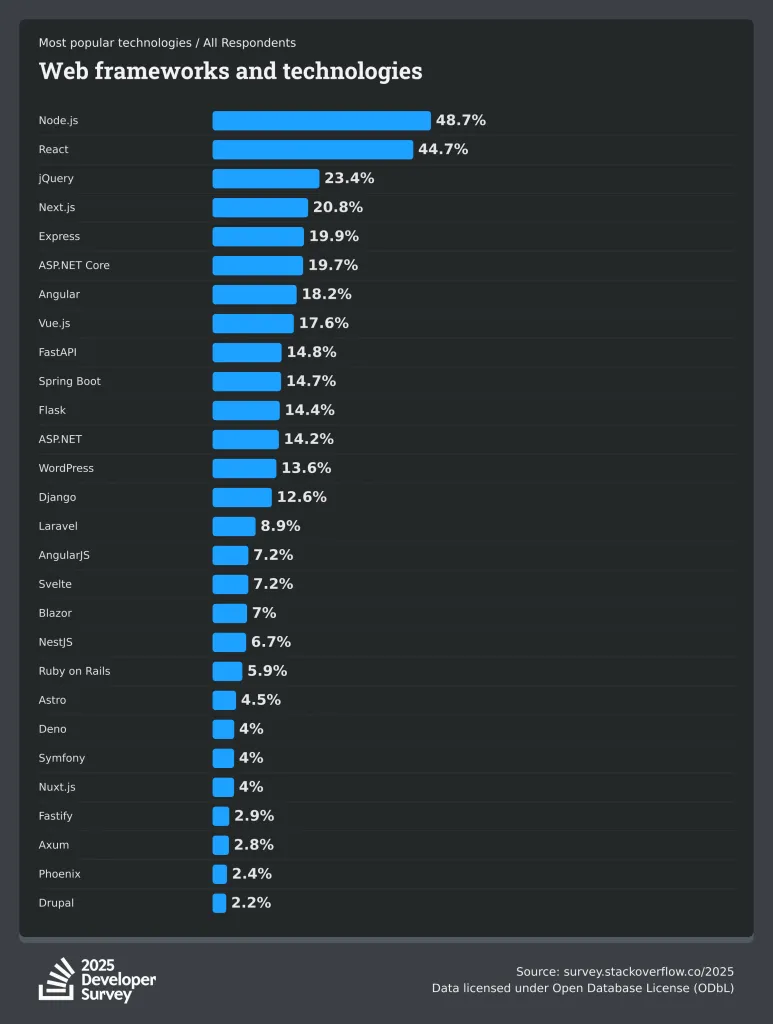
BTW, do you know? according to Stackoverflow, Node js is the most common web framework used by professional developers and new learners with 48.7 %. Among them, everyone uses IDEs to give better programming experiences in their projects.
Key Features:
Following are some of the core features of Nodejs.
- Asynchronous and Event-Driven: Handles multiple operations concurrently with non-blocking I/O, ideal for I/O-heavy tasks like networking or file operations.
- Single-Threaded: Uses a single-threaded event loop to manage tasks efficiently, avoiding the overhead of multi-threading.
- NPM Ecosystem: Comes with npm, a package manager with a vast library of modules for extending functionality.
- Cross-Platform: Runs on Windows, macOS, Linux, and more.
Common use cases:
- Building RESTful APIs (e.g., with Express.js).
- Real-time applications like chat apps or live notifications.
- Microservices and serverless architectures.
- Command-line tools or backend scripting.
What is IDE?
An IDE (Integrated Development Environment) is a software application that provides a comprehensive set of tools for software development in a single interface. IDEs are designed to streamline coding, debugging, and testing, making it easier for developers to build, manage, and deploy applications.
Key Features of IDEs
- Code Editor: A text editor with syntax highlighting, autocompletion, and code formatting for writing and editing code.
- Debugger: Tools to identify and fix bugs by stepping through code, setting breakpoints, and inspecting variables.
- Compiler/Interpreter: Converts code into executable programs or runs interpreted languages (depending on the language).
- Build Tools: Automates tasks like compiling, testing, and packaging code.
- Version Control Integration: Connects with systems like Git for managing code versions.
- Plugins/Extensions: Extends functionality to support additional languages, frameworks, or tools.
- Testing Tools: Supports running unit tests or integration tests within the environment.
- File and Project Management: Organizes project files, dependencies, and configurations.
Benefits of Using an IDE
- Combines multiple tools (editor, debugger, etc.) into one interface, reducing the need to switch between applications.
- Real-time code analysis highlights syntax errors or potential issues.
- Features like autocompletion and snippets speed up coding.
- Integrates with version control and deployment tools for team workflows.
- Automation to your code editing
- Easy Testing
- Debugging
- Syntax Highlighting
- To increase Efficiency
- Supports Collaboration
- IDEs support any languages including Node js, Vue js, React, etc.
- Supports Shortcuts
- Easy to use, and many more…
Best Nodejs IDE
Node.js continues to dominate backend development for its scalability and real-time capabilities, and choosing the right NodeJS IDE can significantly boost productivity through features like intelligent code completion, built-in debugging for asynchronous code, npm integration, and Git support.
Parameters of Choosing The Right Nodejs IDEs:
When choosing the right Node.js IDE , consider these key parameters in brief:
- Performance: Fast startup and editing, especially for large Node.js projects
- Node.js Features: Built-in support for async debugging, npm/yarn integration, and JS/TS completion
- Extensibility: Plugins/extensions for linting, testing, and frameworks like Express
- Cross-Platform: Seamless operation on Windows, macOS, Linux
- Cost: Free (VS Code, CodeLite) vs. paid (WebStorm, IntelliJ) with trial options.
- Collaboration: Real-time editing for teams (e.g., Gitpod’s multiplayer, Cloud9’s shared sessions).
- AI Integration: Built-in or plugin support for coding assistants (e.g., Copilot in VS Code, JetBrains AI).
- Cloud vs. Local: Browser-based for no setup (Gitpod, Cloud9) or local for offline work.
- Project Scale: Lightweight for scripts (Sublime) or robust for monorepos (IntelliJ).
- Community & Updates: Active development and support
Based on recent developer surveys, community feedback, and expert reviews, here are the top popular IDEs for Node.js development:
Visual Studio Code
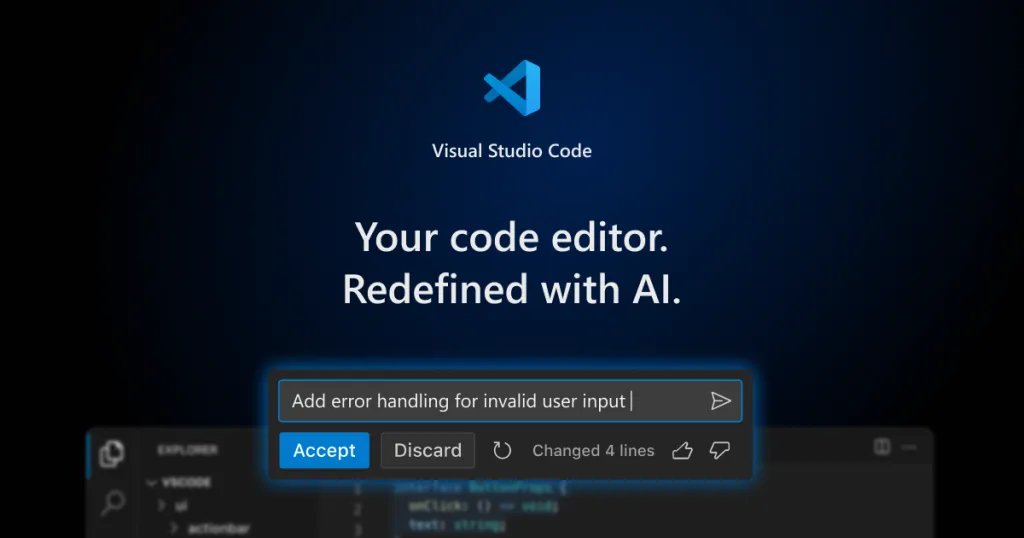
Visual Studio Code is the most advanced & popular AI based Code editor for NodeJS among developers. Furthermore, it is a lightweight and powerful source code editor that runs on desktops available for Windows, macOS, and Linux.
It is an Open source IDE that comes with built-in support for JavaScript, TypeScript, and Node.js. In addition, it has a rich ecosystem of extensions to get you started with other programming languages.
Moreover, it has many advanced features like multiple cursors for fast simultaneous edits. Now, the IDE comes with separate documentation on how to use it with Node js.
Features:
- AI Code Editor: Use AI to work smarter, faster & better (Works with Claude Sonnet, GPT, Gemini)
- IntelliSense: Smart code completion for JavaScript/TypeScript, including Node.js modules.
- Debugger: Built-in Node.js debugger with breakpoints, watch variables, and call stack inspection.
- npm Integration: Run scripts directly from the integrated terminal.
- Extensions: Thousands of plugins (e.g., ESLint, Prettier, Docker) for linting, formatting, and framework support (Express, NestJS).
- Live Share: Real-time collaborative coding for team debugging.
- Cross-Platform: Runs on Windows, macOS, and Linux.
Pros:
- Free and open-source.
- Highly customizable with themes and extensions.
- Lightweight yet powerful, suitable for beginners and experts.
- Real-time preview for Node.js apps with extensions like Live Server.
Cons:
- Performance can lag with excessive extensions on large projects.
- Requires manual setup for advanced debugging configurations.
Pricing:
- Free (open-source).
Best For:
- Developers of all levels seeking a versatile, customizable IDE for Node.js and full-stack JavaScript projects.
WebStorm IDE
WebStorm is a premium NodeJS IDE that is designed for all JavaScript technologies including Node js. Moreover, you can write reliable and maintainable code using this IDE. Furthermore, you can run dozens of inspections as you type to get an error-free code.
Additionally, this AI powered IDE comes with out-of-the-box support for JavaScript, TypeScript, React, React Native, Electron, Vue, Angular, Node.js, HTML, style sheets, and many other technologies.
WebStorm has a Smart editor which can deeply understand your code and can autocomplete it as well. It also suggests fixes for errors and redundancies and helps you refactor code safely.
Features:
- Smart Coding Assistance: Context-aware code completion, error detection, and refactoring for Node.js and frameworks like Express and NestJS.
- Run/Debug Configurations: Prebuilt setups for Node.js apps, including Mocha/Jest testing.
- npm/yarn Support: Manage dependencies directly within the IDE.
- AI Integration: JetBrains AI Assistant enhances coding with suggestions.
- Built-in Tools: Terminal, version control (Git), and HTTP client for API testing.
Pros:
- Robust for complex, large-scale projects.
- Seamless integration with Node.js frameworks and tools.
- Excellent refactoring and navigation features.
- Strong community and regular updates.
Cons:
- Resource-heavy compared to lightweight editors.
- Paid license may deter hobbyists.
Pricing:
- Free
- Commercial: $69/year (personal), $159/year (organization)
- All Product pack: $289/year (personal), $779/year (Organization)
Best For:
- Professional developers working on enterprise-grade Node.js applications or full-stack JavaScript projects.
Check out the best Free React Template: Materio MUI Nextjs Dashboard

This is one of the best free vercel theme you can consider for your vercel projects.
Intellij IDEA

IntelliJ IDE is an intelligent and context-aware NodeJS IDE that works with programming languages like Java and JVM like Kotlin, Scala, and Groovy on all sorts of applications. Moreover, by using its powerful integrated tools you can easily develop full-stack web applications.
Apart from it, you also use programming languages like Go, Python, SQL, Ruby, and PHP you need to install free plugins developed by JetBrains. For TypeScript, JavaScript, and Node js you also need plugins. But, there is no need to install them as they are enabled by default.
Furthermore, it comes with a powerful toolset to run and build and debug for applying and developing JUnit tests right in the IDE.
Features:
- Code Analysis: Advanced inspections and suggestions for JavaScript/TypeScript.
- Node.js Interpreter: Easy setup for running Node apps and scripts.
- Database Tools: Built-in support for SQL/NoSQL databases, ideal for API development.
- Plugin Ecosystem: Extends functionality for Node-specific tasks (e.g., Jest testing).
- Version Control: Deep Git/GitHub integration for team workflows.
Pros:
- Ideal for mixed-language projects (e.g., Java + Node.js).
- Powerful refactoring and debugging tools.
- Scales well for enterprise environments.
- Comprehensive database and testing support.
Cons:
- Steeper learning curve for new users.
- Expensive for individual developers; Community edition lacks full Node.js features.
Pricing:
- Free for students, open source projects, for training course
- Commercial: $69/year (personal), $159/year (organization)
- All Product pack: $289/year (personal), $779/year (Organization)
Best For:
- Enterprise teams working on complex, multi-language projects involving Node.js.
Sublime Text:
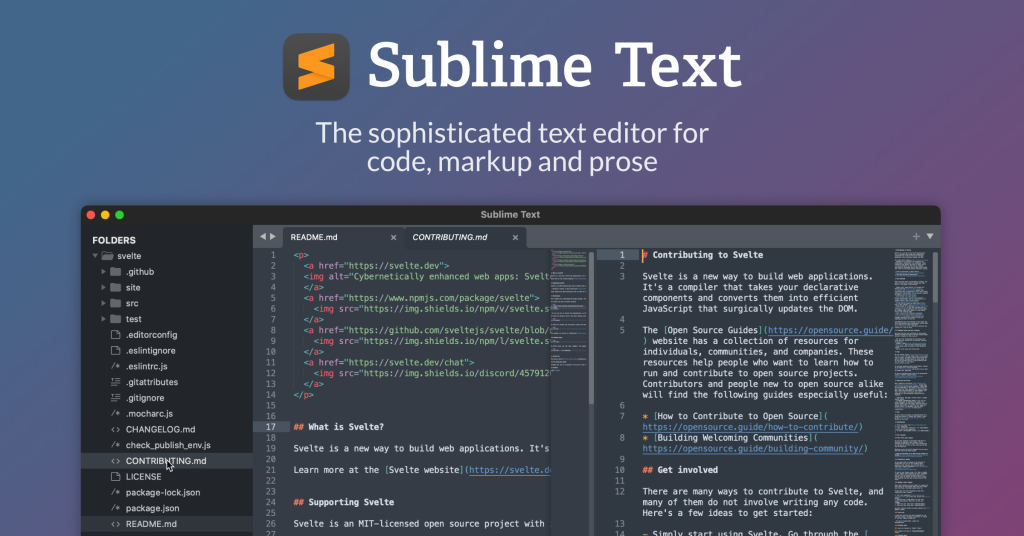
Sublime Text is a free text editor used for local files and editing code base. It provides an ultimate development experience with useful features to quickly build the app. For instance, features such as Syntax Highlight, Auto Indentation, File Type Recognition, Sidebar, Macros, Plug-ins, Packages, and many more.
In this IDE, you can develop your own customized plugin by creating your own environment. Furthermore, the IDE is supported in major operating systems like Windows, Linux, and OSX.
Sublime supports popular programming languages like TypeScript, JavaScript, and Node js.
- Syntax Highlighting: Fast and accurate for JavaScript/TypeScript.
- Plugin Support: Packages like Node.js snippets and LSP (Language Server Protocol) for IntelliSense.
- Build System: Run npm scripts and Node apps directly.
- Multi-Cursor Editing: Boosts productivity for quick code edits.
- Minimal UI: Distraction-free coding environment.
Pros:
- Extremely fast and lightweight.
- Ideal for quick edits and smaller Node.js projects.
- Highly customizable via plugins.
Cons:
- Lacks built-in debugging; relies on plugins for IDE features.
- One-time license cost may feel high for a text editor.
Pricing:
- $99 (3 year free update)
Best For:
- Developers who prefer speed and simplicity for smaller Node.js scripts or prototyping.
Eclipse Che
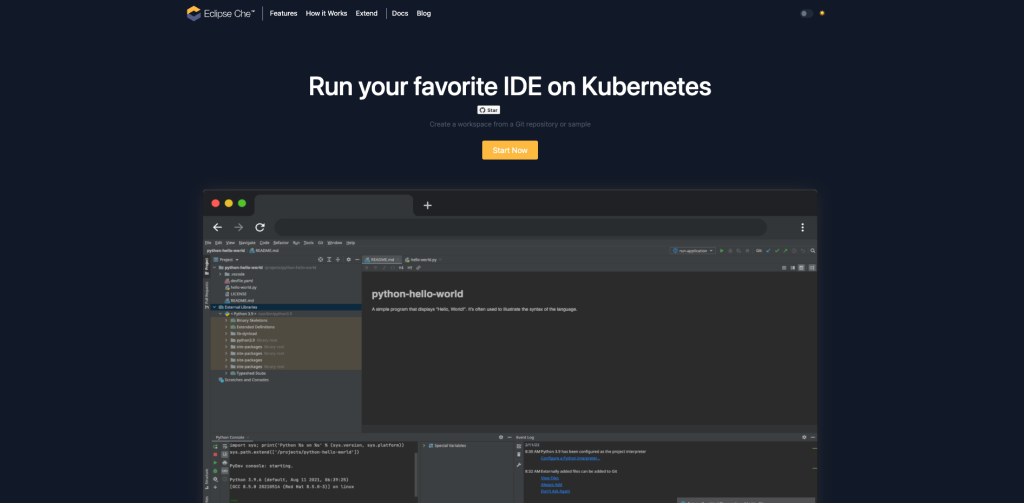
Eclipse che is an open-source centralized NodeJS IDE that is running on Kubernetes or OpenShift. Furthermore, the goal of this IDE is to execute your Development instantly and provides you with an environment that runs in your browser.
It provides you with a workspace with all the dependencies necessary to edit, build, run, and debug them. Moreover, you can start your coding instantly as all the modern IDEs features are available in the browser.
Apart from it, it is a Node js IDE that is based on a developer workspace server and cloud-based for JavaScript.
Features:
- Nodeclipse Plugin: Adds Node.js project templates, debugging, and module navigation.
- Debugger: Supports async code with breakpoints and variable inspection.
- Outline View: Visualizes Node.js modules and dependencies.
- Extensibility: Plugins for Maven, Gradle, and other tools.
- Cross-Platform: Reliable on all major OSes.
Pros:
- Free and open-source.
- Strong for hybrid Java/Node.js projects.
- Mature ecosystem for enterprise use.
Cons:
- Dated UI and complex setup for Node.js.
- Less intuitive for JavaScript-first developers.
Pricing:
- Free (open-source).
Best For:
- Enterprise developers working on mixed-language projects with Node.js components.
ONA (Formerly Gitpod):
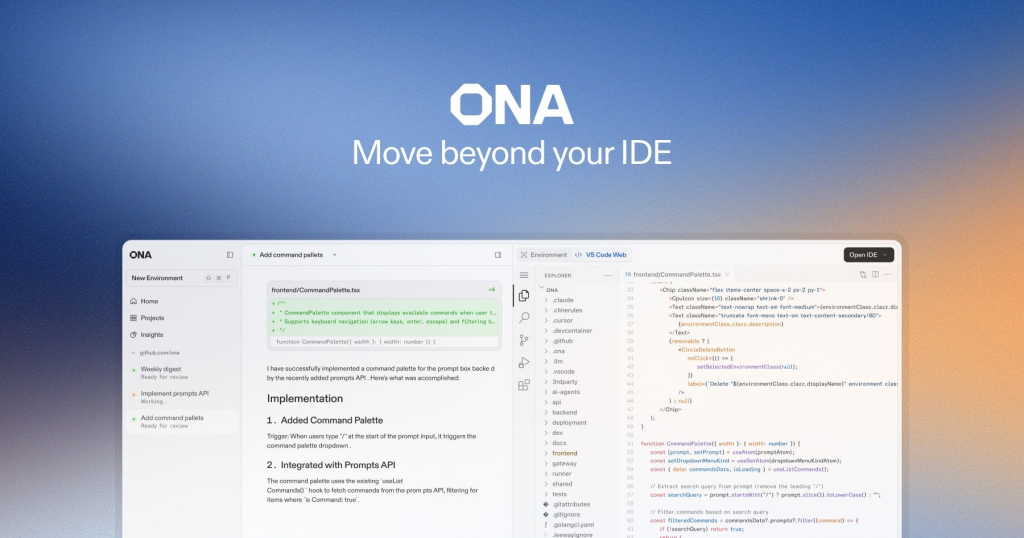
ONA (Formerly GitPod) is an open-source cloud NodeJS IDE that is ready to code with fresh, automated dev environments for each task, in the cloud, in seconds. Furthermore, it lets you describe your dev environment as code and start instant, remote, and cloud development environments directly from your browser.
It enables you to add your team members to your environment r snapshot any state of your dev environment to share it with your team asynchronously. In addition, it also works seamlessly with all major git hosting platforms including GitHub, GitLab, and Bitbucket.
Apart from this, talking about the integration of this IDE with another framework then, by default each workspace is pre-configured. For instance, it has Node.js, npm, yarn, and nvm.
Features:
- Prebuilt Environments: Auto-configures Node.js, npm, and dependencies from Git repos.
- Git Integration: Native support for GitHub, GitLab, and Bitbucket.
- Hot Reload: Live previews for Node.js apps during development.
- Dev Containers: Consistent environments across teams.
- VS Code-Based: Familiar interface with Node.js extensions preinstalled.
Pros:
- Instant setup from Git repositories.
- Consistent dev environments for teams.
- Strong for DevOps and CI/CD workflows.
Cons:
- Browser-only; no offline support.
- Free plan limited for private repositories.
Pricing:
- Free for public repos
- Core: $20/month (100 team members)
- Enterprise: Custom
Best For:
- Teams and DevOps engineers needing automated, reproducible Node.js environments.
CodeLite IDE
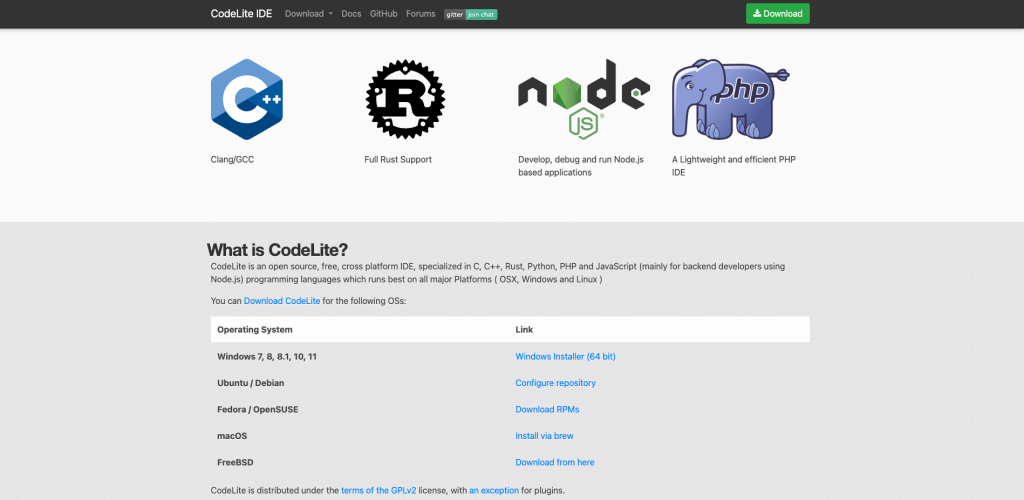
CodeLite is an open-source cross-platform NodeJS IDE software that is specialized in languages like JavaScript (mainly for backend developers using Node.js). In addition, it includes C, C++, and PHP.
Apart from it, the IDE runs on all major platforms i.e Windows, macOS, and Linux. Now, to use CodeLite with Node js-based environment you need to create an environment for it.
Therefore, you need to create a workspace for node js, and to create this workspace you can check their official documentation. Now, it supports dark and light modes with 15+ prebuilt themes.
Features:
- Development Tools: Full cycle for building, running, and managing Node apps.
- Debugger: Robust inspection for async errors and variables.
- Syntax Support: Highlighting and completion for JS/TS modules.
- Project Management: Templates for Node projects; basic npm script running via terminal.
- Cross-Platform: Native on Windows, macOS, Linux, and FreeBSD.
Pros:
- Extremely lightweight and fast startup.
- GPLv2 free with plugin exceptions for closed-source add-ons.
- Simple UI ideal for backend-focused workflows; good TypeScript integration.
Cons:
- Lacks deep npm visualization or advanced AI features.
- Smaller extension ecosystem compared to VS Code.
Pricing:
- Free (open-source).
Best For:
- Budget-conscious devs needing a no-frills IDE for Node.js servers and scripts.
Conclusion
To finish off, these are some of the best IDE that you can consider using in your Node js development. Node js brings you to create a powerful application whereas these IDE will surely help you to quickly build your app.
Moreover, be more precise while choosing IDE for your programming as its the base of your project. Therefore, I would recommend selecting the Node js IDE that fits your requirement and needs.
All the above-mentioned editors have different features so I’d recommend checking these features and picking them accordingly.
Apart from it, the other factor that you will consider while choosing is the documentation. Handy documentation will help you to get started with your project quickly.
If you like these Node js IDE kindly share it with your friends and colleagues.
May your lines of code be bug-free!😉


